QiangDiao Li
For an AirApp with several pages, how do I get a link to a specific product detail page? Does opening that link in a fresh browser work the same way as navigating there from the homepage?
Yes — if that product detail page has its own address in the published site. Open the page from the homepage, copy the full URL from the address bar, then open it in a fresh or private window while signed out. If you land on the same product page, the link works the same way as navigating there from the homepage.
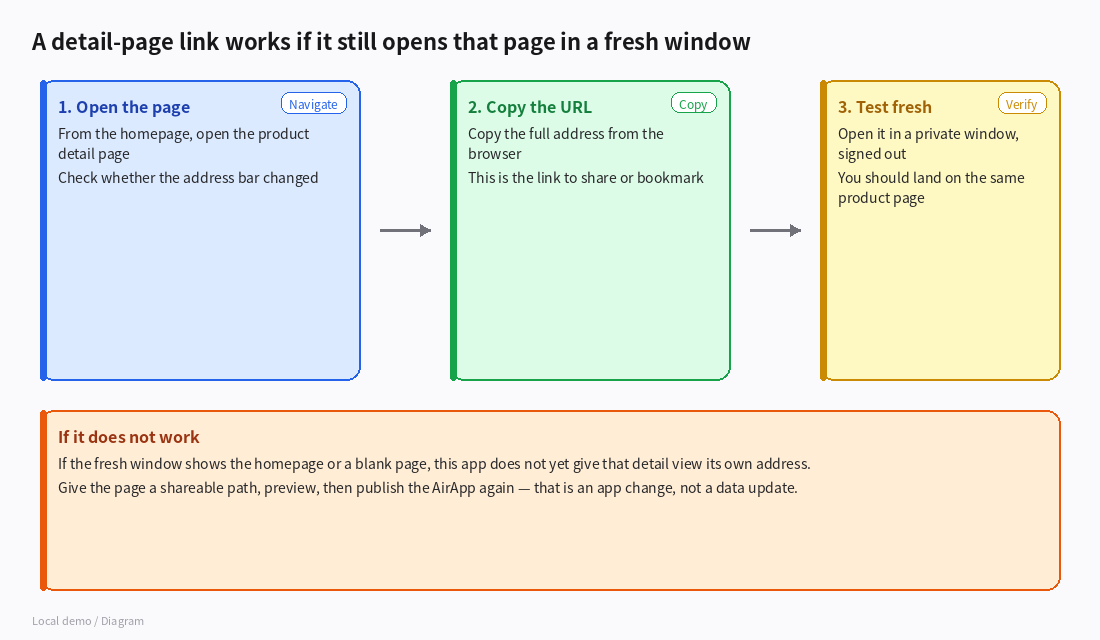
If the address bar never changes when you open a product, or a fresh window shows the homepage or a blank page, this app is not yet giving that detail view a shareable path. In that case, give the product page its own path, preview the change, and publish the AirApp again. That is a change to the application itself, not a data update, so the existing website will not pick it up until you publish.
Give each product detail page a shareable path on this published AirApp website. After preview and publish, I should be able to copy the address from a product page, open it in a signed-out window, and land on the same product without starting from the homepage.
Sign in to join the discussion. Reading is always open; you only need an account to post.
Sign in