No. Hiding a field in a view only changes what that view shows. It does not remove anyone’s access to the field’s contents.
Think of it as decluttering the grid—not a permission boundary.
What “hide in view” actually does
In a view’s field list you can turn columns off so the table looks cleaner (for example a “progress-only” board that skips cost columns). People using that same view simply do not see those columns in the grid.
They can still, if their space permissions allow:
- switch to another view, or turn the field visible again in the view settings
- open the record detail and read the value there
- export, search, or use Agent / API tools that read the underlying fields
So a hidden cost column is not a cost firewall.
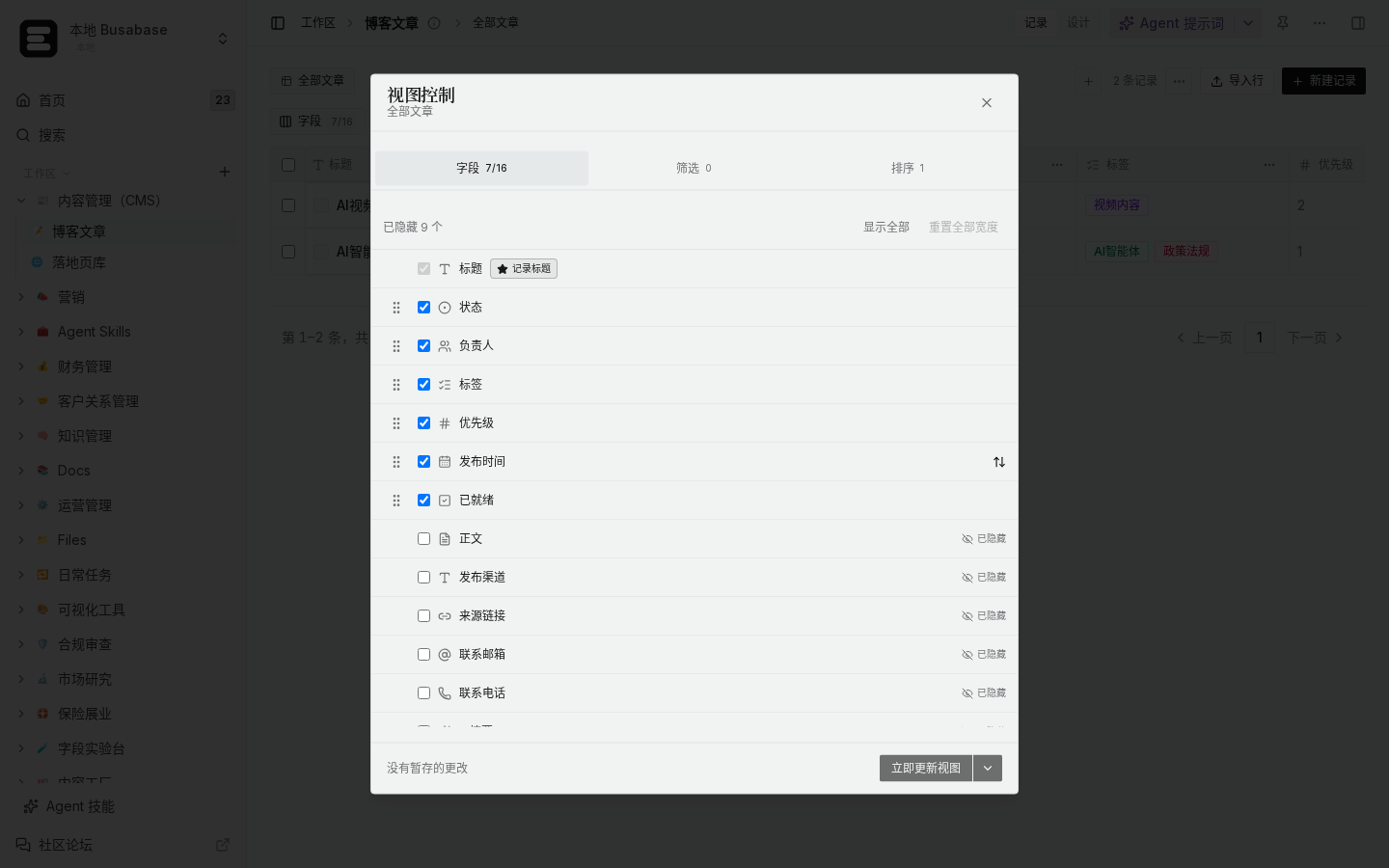
(Local demo: view → Fields — hide/show columns for layout only.)
What to use when some colleagues must not see costs
Use real access control, not view cosmetics:
- Share a different Base or folder with a narrower permission set (editors vs viewers, or a space that simply does not contain the sensitive table).
- Give people a filtered share that matches what they are allowed to open—records and fields they should never reach should not live in a Base they can fully open.
- If you only need a cleaner personal layout, hiding fields is fine; just do not treat it as security when you brief the team.
(Local demo: folder / Base sharing controls who can actually open the data.)
How to verify
- Hide the cost field in View A while signed in as yourself.
- Open the same Base as a colleague who should be restricted (or a test account with the same role you plan to grant).
- Check whether they can switch views, show the field again, or open record detail and still read the value.
- If they can, the hide toggle did its UI job—but access control is still missing; tighten sharing instead.
Common misunderstandings
- “I built a view without costs, so contractors are safe.” Not by itself—if they can open the Base, they can usually reach the field another way.
- “Embed / public share of one view.” Public or broad shares follow share settings, not “which columns I hid for myself.” Review who the share is granted to before sending the link.
- Agents and automations read stored fields, not “what the current view shows.” Gate sensitive writes/reads with permissions and change requests, not hidden columns.
Short version: hide = presentation; share / permissions = access. Use the first for clarity, the second when money or personal data must stay out of reach.
