Yes. In the CRM overview, wording like “loaded” / “based on loaded” means the numbers and lists are computed from the records currently loaded into that view (a page or accumulated “load more” window)—not automatically from every matching row in the Base.
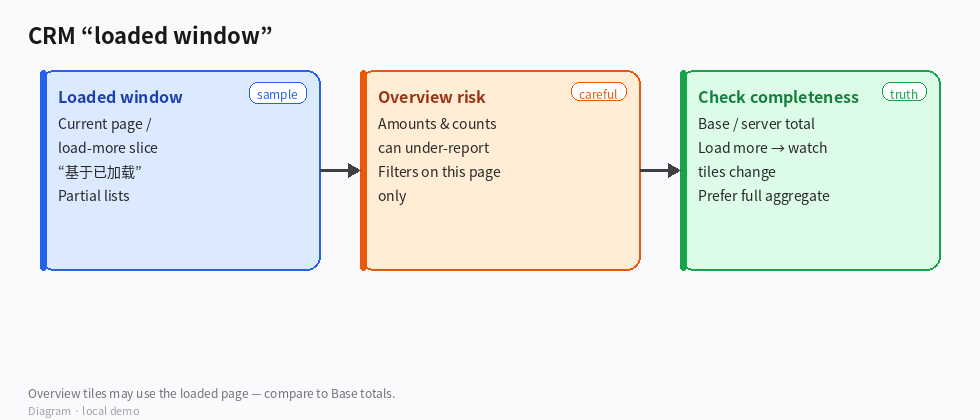
(Diagram: overview tiles can reflect the loaded page; Base totals may be larger.)
What that implies
- Amounts, counts, and tables in that overview can be partial as the dataset grows.
- Some footers say filters/search apply to the current page; quality tips may say “based on loaded.”
- Separate server totals (when shown, e.g. “N records total”) are the completeness check — don’t treat a tile built only from the loaded slice as the full Base.
How to tell complete vs partial
- Compare the overview figure to the Base (or the CRM pool footer) total count.
- Loaded count ≪ total → partial summary.
- Use Load more / next page and watch whether totals in the “loaded” widgets change.
- Prefer views or panels that explicitly say full-scale / server aggregate when you need portfolio truth.
- For decisions (quota, forecasts), ask: “Is this tile labeled as loaded-only?” If yes, drill into the Base or an aggregate report before committing.
How to confirm
- With a small demo set that fits in one page: overview matches Base counts.
- After growth past one page: loaded-based stale/quality lists can under-count until you load more or use a full aggregate.
- Footer “total records” stays stable while “loaded” widgets grow as you paginate.
Boundaries
- “Overview” ≠ guaranteed full-Base rollup.
- Filtering on the current page only can hide matches on later pages.
- Exporting or deciding from a loaded-only tile under-reports the live Base.
Example goal for an Agent
When reading the CRM overview, treat “loaded” metrics as a sample of the current window. Cross-check Base or server totals before summarizing pipeline value. If only one page is loaded, say so in the answer.
Read the label: loaded means this window, not necessarily the whole CRM Base.

