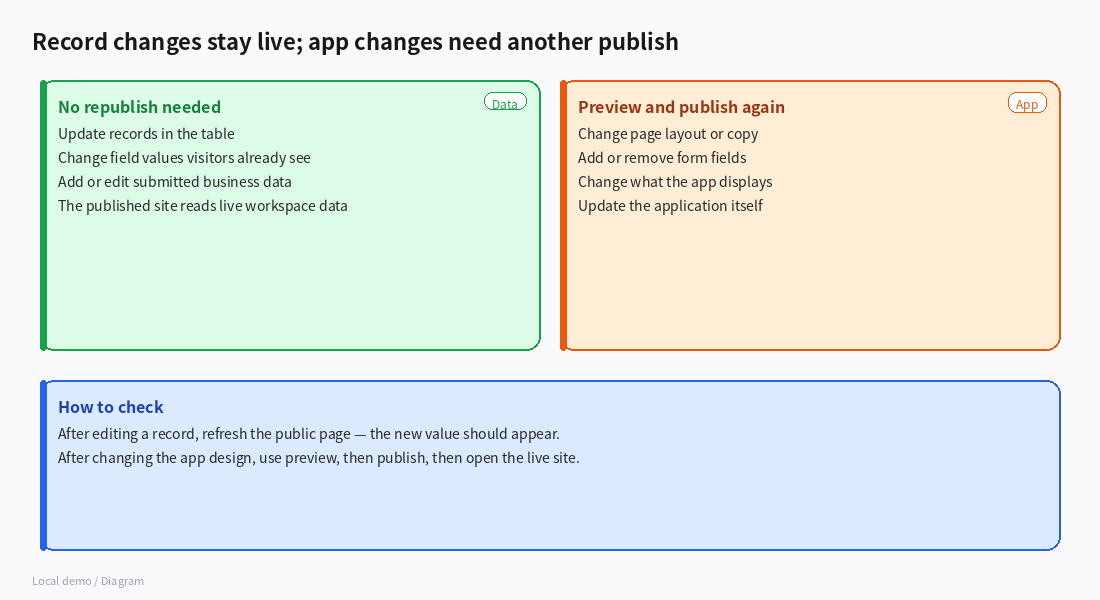
Updating the records an AirApp website displays does not require publishing the website again. Republish when you change the application itself — layout, copy, form fields, or what the page is built to show.
What updates automatically
A published AirApp website can read live workspace data. After you add, edit, or review records in the table it uses, visitors who refresh the public page should see the current values. You do not need a new preview-and-publish cycle for ordinary business-data edits.
Typical examples that stay on the live site:
- Changing a registration status or a displayed name
- Adding newly approved items to a catalog table
- Correcting a field that the page already knows how to show
What needs preview and publish
Publish again when the application changes, not just the rows behind it:
- Page structure, wording, or visual layout
- Adding or removing form fields, or changing what the form writes
- Changing which fields or views the page displays
- Other updates to the AirApp itself
In those cases, preview first to confirm the new design, then publish, then open the public website to check the result.
How to verify
- Edit one existing record in the workspace table, refresh the public page, and confirm the new value appears without publishing again.
- Change something only the app defines (for example a heading or an extra field on the page), preview, publish, and confirm the live site matches.
- If a data edit does not show up, refresh the page; do not treat that as a reason to republish unless the app itself was changed.
Boundaries
- Data changes travel through the live workspace connection. They are not a hidden republish.
- If the page only shows records that match a filter (for example “Approved”), a new row will appear only after it meets that filter — still without republishing.
- Taking a website offline, or changing who can open it, is a publish-control action, not a data update.
Example goal for an Agent
Update the displayed records for this published AirApp in the workspace table. Do not publish the website again unless the application layout or form itself needs to change. After the data edit, tell me how to refresh the public page and confirm the new values.