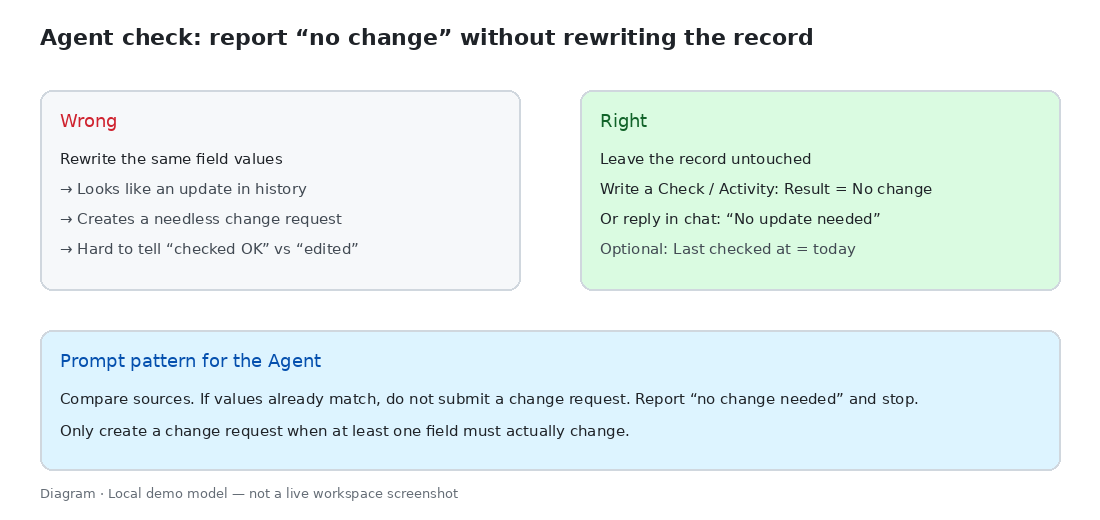
When the Agent compares sources and values already match, it should report “no change needed” and leave the record untouched — not rewrite the same values (that looks like an edit and may open a change request).
What “done” should look like
| Outcome | Do | Don’t |
|---|
| Values already correct | Reply or log Result = No change; optional “Last checked at” | Submit a change request that sets the same values again |
| At least one field must change | Create a change request / update only those fields | Mix “no-op rewrites” with real edits |
Prefer a lightweight Check / Activity row (Record, Checked at, Result, Notes) if you need history of “we verified this.” Chat-only “No update needed” is fine when you don’t need a queryable audit.
Prompt pattern
Compare the record with the new information. If everything already matches, do not create a change request and do not rewrite fields. Report “no change needed” and stop. Only submit a change when at least one value must actually change.
How to verify
- A completed check with no edits leaves record history / inbox without a new change request.
- A real fix still creates a reviewable change.
- You can filter Checks where Result = No change for the week.
Boundaries
- Touching “Updated at” with identical values still pollutes activity feeds — avoid.
- If policy requires a signed check, write the Check row; still don’t clone field values.
- “No change” is success for a verification task, not a failed run.