Treat each regenerated image as a new candidate. Approval should bind to the current candidate, never carry over from a previous pass—even when the filename stays the same.
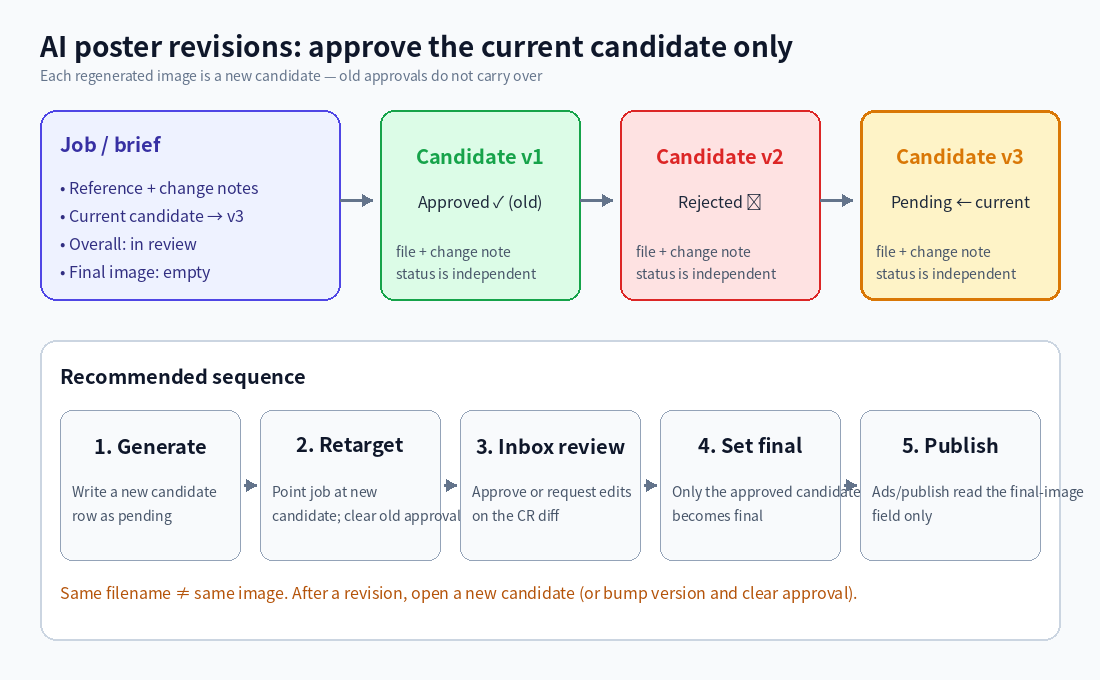
(Diagram: the job points at the current candidate; a past “approved” on v1 must not auto-approve v3.)
Suggested model
1. Job / brief (one record)
Holds what this request is trying to produce:
- Reference art, change notes, target size / channel
- Current candidate (link to one candidate row)
- Overall status: in progress / in review / approved / published
- Final image (written only after a candidate is approved; publish steps read *this* field)
2. Candidates (many records)
One row per generation (or version rows under the job):
- Link back to the job, version number, generated-at
- Image file, what changed vs the previous pass
- Review status: pending / approved / rejected
- Reviewer comments, reviewer, reviewed-at
When the agent or design flow writes a new candidate: mark it pending, point the job’s “current candidate” at it, and do not inherit an older approval onto the new file.
How review should work
- Reviewers open the pending change request in Inbox (candidate fields and/or the job pointer).
- Check the field diff and attachments—you are approving *this* file, not “the same poster” by name.
- Approve → mark only that candidate approved, write it into the job’s final image, update overall status.
- Reject → leave clear comments; the next revision opens another candidate (or bumps the version and clears the old approval).
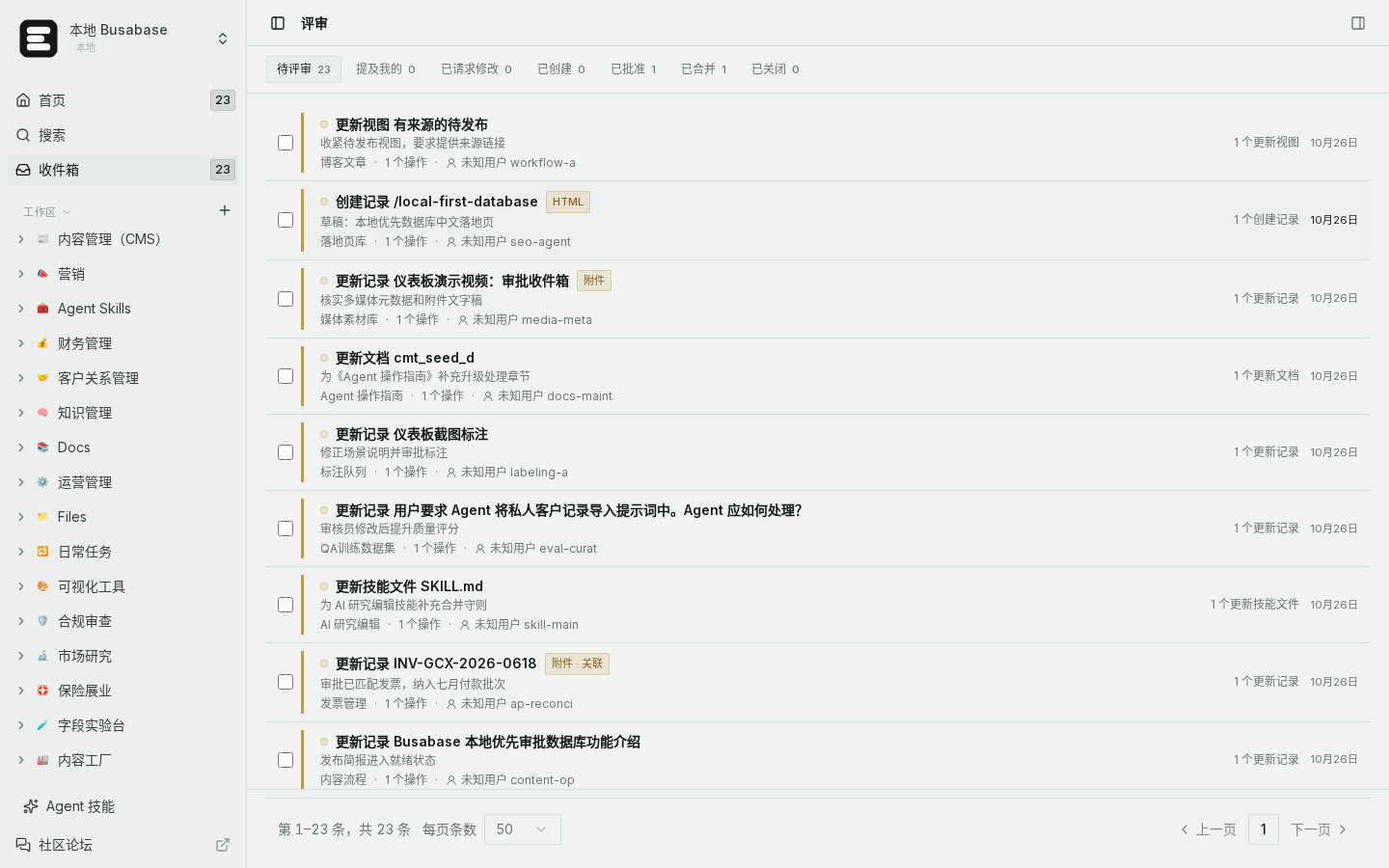
(Local demo: review pending changes in Inbox, then approve or request edits.)
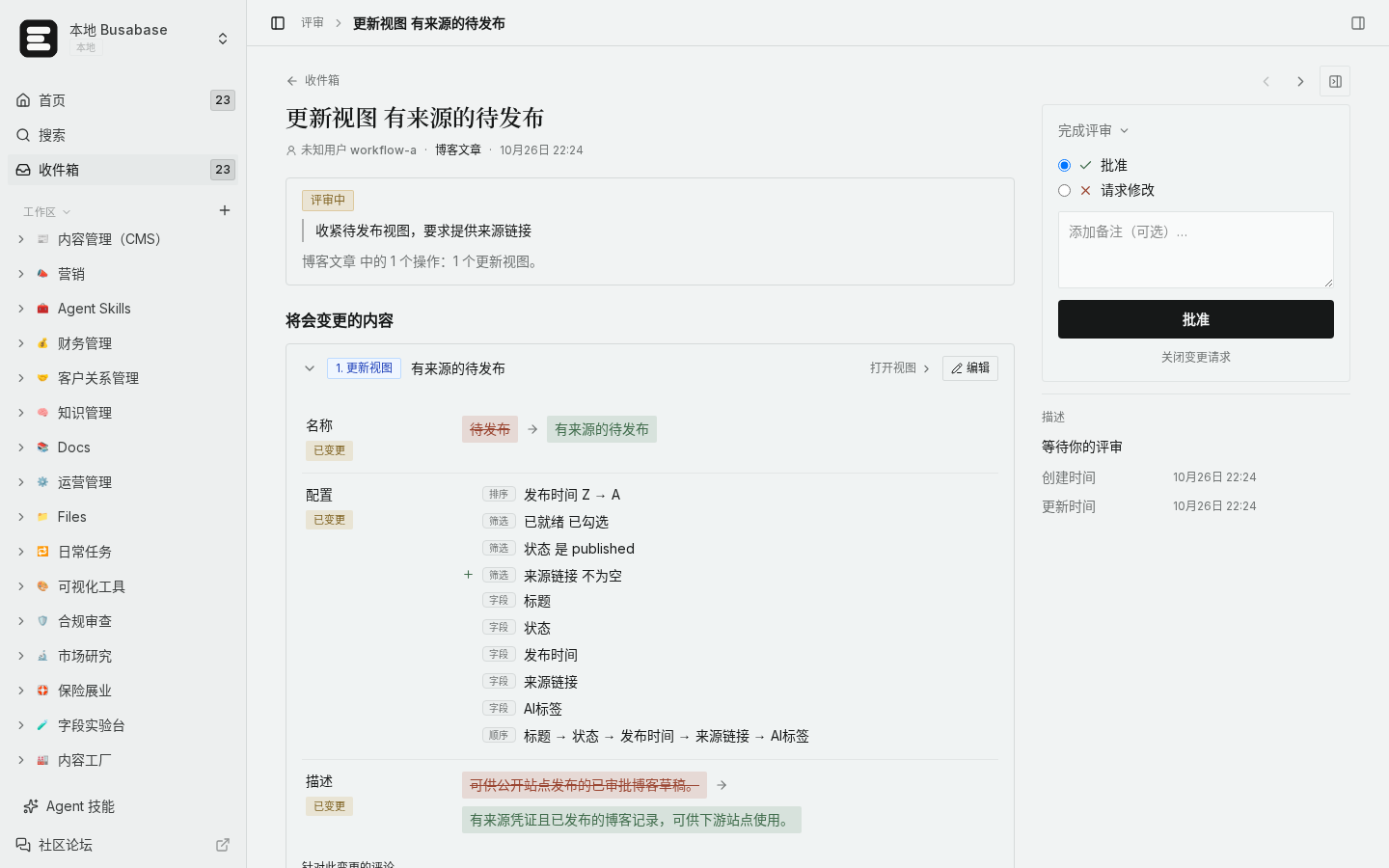
(Local demo: check which fields/attachments changed for this candidate.)
How to verify the old approval did not leak
- Open the job: current candidate should be the latest pending/approved version; final image should point at an approved candidate file.
- Ads, web, or export steps should read only “final image”, not “current candidate” or the newest attachment name.
- Spot-check a revision: after regenerating, the old candidate’s “approved” stays on the old row; the new row must go pending again. If the new row flips to approved automatically, the inheritance logic needs fixing.
Edge cases
- Same-filename overwrite: the bytes changed, but an old approval still hanging on the row can wrongly green-light it—prefer a new candidate row (or version bump + clear approval).
- Two reviewers at once: treat the change request as source of truth; update “current candidate” only after merge.
- Approved but not published yet: keep overall status at approved until publish succeeds, then stamp published-at for audit.
With “one approval per candidate” and publish reading only the final image, rework cycles stay safe.

