Empty is ambiguous: it might mean “not collected yet” or “does not apply.” Data-quality checks should only flag genuine omissions. In Busabase, separate applicability from the value.
Pattern
| Field | Role |
|---|
applicable | Select (Applicable / Not applicable) or boolean |
value (e.g. shipping address) | Text / Address / etc. |
Examples:
- Physical delivery →
applicable = Applicable, shipping address required. - Online service →
applicable = Not applicable, leave the address empty on purpose.
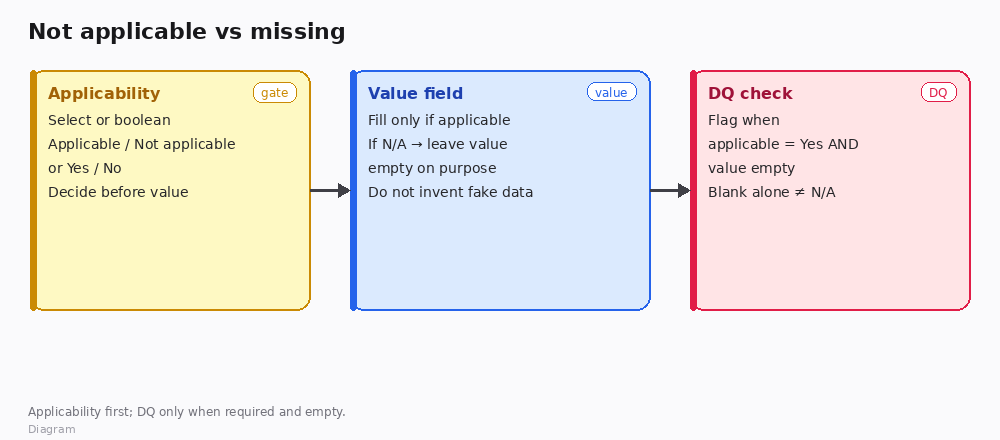
*Diagram · applicability first; DQ only when required and empty*
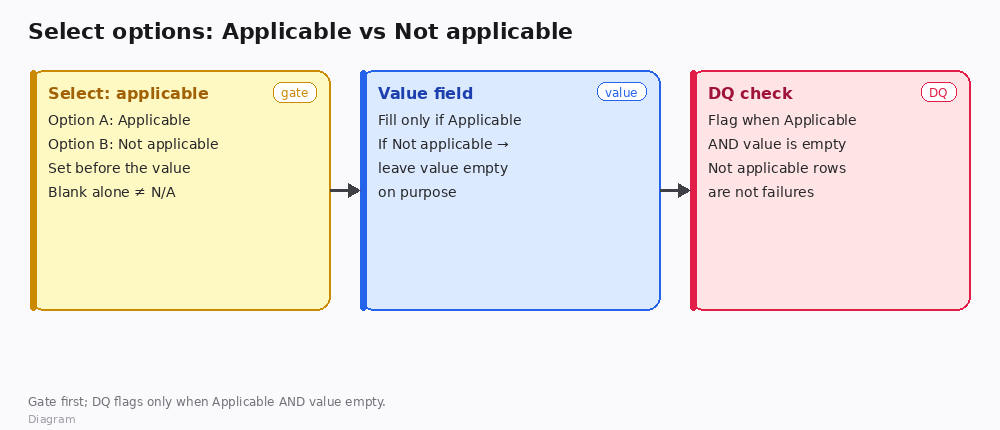
*Diagram · Select options: Applicable / Not applicable*
Data-quality rule
Flag a problem only when:
applicable = Applicable (or true) AND value is empty.
Do not treat every blank as an error. Do not use blank alone to mean N/A—always set applicability explicitly.
How to set up views / checks
- Needs attention: applicable = Yes AND value empty.
- N/A set: applicable = No (optional audit view).
- Forms / intake: ask applicability first; hide or skip the value when N/A if your UI allows, but still store the applicability choice.
How to verify
- Online-service row with
Not applicable and empty address → not in the DQ failure view. - Physical row with
Applicable and empty address → is flagged. - A row that never set applicability → treat as incomplete process (prompt to choose), not as silent N/A.
Boundaries
- Don’t invent placeholder values (“N/A” string inside the address field) if you already have an applicability field—that confuses exports.
- Multi-field groups (billing vs shipping): each group can have its own applicability.
- Historical imports: backfill applicability where you can; until then, keep DQ scoped to records that have the gate filled.
If you tell us which fields are conditional (shipping, tax ID, device serial, …), we can sketch a minimal field pair list for your Base.

