Standardize before import: convert every amount to a plain decimal that Busabase Number / Currency fields understand (dot as decimal separator, no thousands grouping). Mixing 1,234.56 and 1.234,56 in the same import is the usual cause of 1000× scale errors.
Practical standardization
- Decide one canonical form for the pipeline, e.g.
1234.56 (US-style decimal point, no thousands separators). - For each source file, detect the locale pattern from the file or column, not per cell in isolation:
- If the last separator is
. and commas appear left of it → treat comma as thousands (1,234.56 → 1234.56). - If the last separator is
, and dots appear left of it → treat dot as thousands (1.234,56 → 1234.56).
- Strip currency symbols and spaces; keep the sign.
- Write a cleaned column (or cleaned CSV) and import that into Busabase.
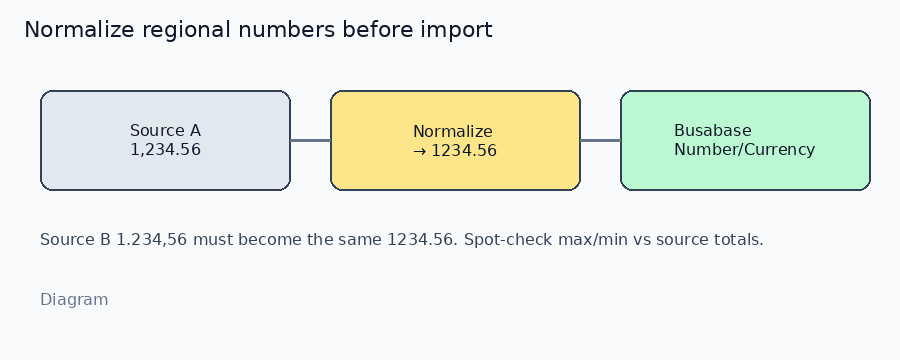
*Diagram · normalize regional formats before Busabase*
Catch wrong-scale mistakes
| Check | How |
|---|
| Spot-check extremes | Compare imported max / min to the source sheet’s max / min |
| Batch total | Sum the cleaned column; it should match the source grand total (after you removed subtotal rows) |
| Digit-length sanity | Values that jump by ~1000× vs neighbors after import usually had the wrong decimal separator |
| Keep provenance | Store sourceFile / localeAssumed on the batch so you can re-run if a file was mis-tagged |
In Excel / Sheets: a helper column that applies the rule above, then paste-values into the import file, is enough for most teams. For recurring feeds, put the same rule in your ETL / Agent step and fail the batch if more than N rows change magnitude by ≥1000× vs a previous import of the same file.
How to verify in Busabase
- Import 5–10 known rows (include both
1,234.56 and 1.234,56 sources after cleaning — both should become 1234.56). - Open the Number / Currency field: values match the source totals.
- Create a view that Sums the amount; compare to the original report total.
Boundaries
- Do not leave mixed separators in one Number column and “fix it later” — import parsers will guess wrong.
- Percentages and IDs that *look* like numbers (e.g.
10.20.0.2) should stay Text, not Number. - Multi-currency: normalize the numeric string and keep a Currency / currency-code field; do not encode currency only inside the number text.
If you share which tool prepares the file (Excel vs Agent vs script), we can suggest an exact cleanup formula or prompt for that path.

