Great question — you do not need multiple Contact Bases. Create separate Relation fields on the Order (or Deal) Base, and point each of them at the same Contacts Base. One person can then fill several roles without duplicating contact records.
Pattern
On the Base that holds the “main” record (e.g. Orders / Deals), add one Relation field per role:
- Purchasing contact → target = Contacts
- Billing contact → target = Contacts
- Delivery contact → target = Contacts
All three share targetBaseId = Contacts. The same contact row can be selected in more than one of those fields.
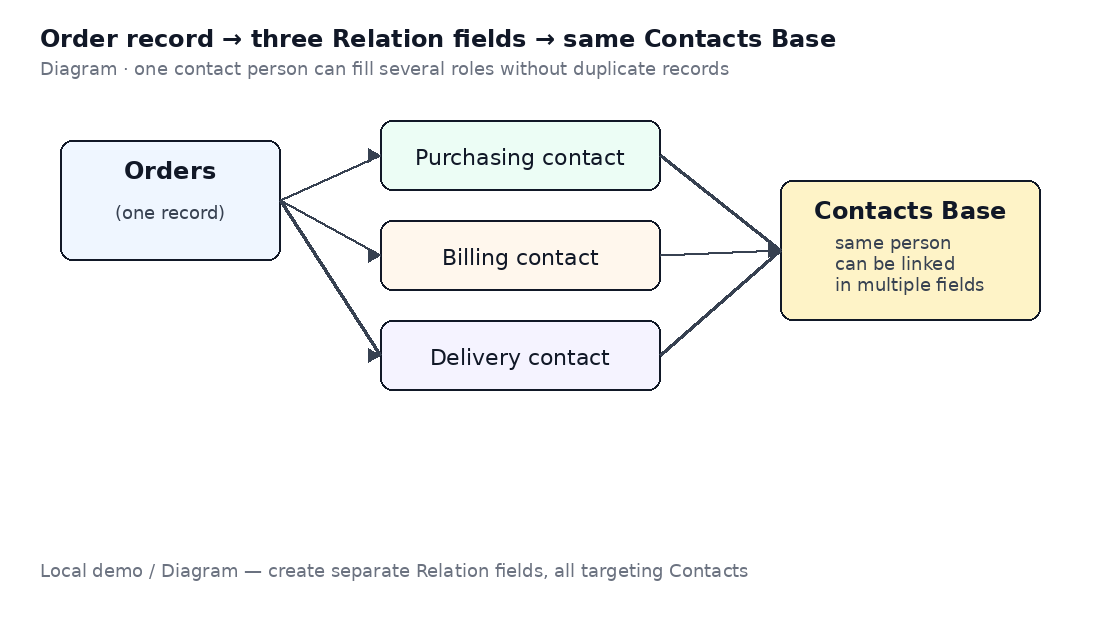
*Local demo / Diagram — one Order, three Relation fields, one Contacts Base*
How to set it up (Design)
- Open the Base → Design (or Schema / Fields).
- Add field → type Relation.
- Name it for the role (e.g. “Billing contact”).
- Set the target Base to your Contacts Base (same slug / Base for every role field).
- Repeat for each role.
Here is a local CRM Deals Design screen that already has multiple Relation fields toward company / contact Bases — same idea for your Order roles:
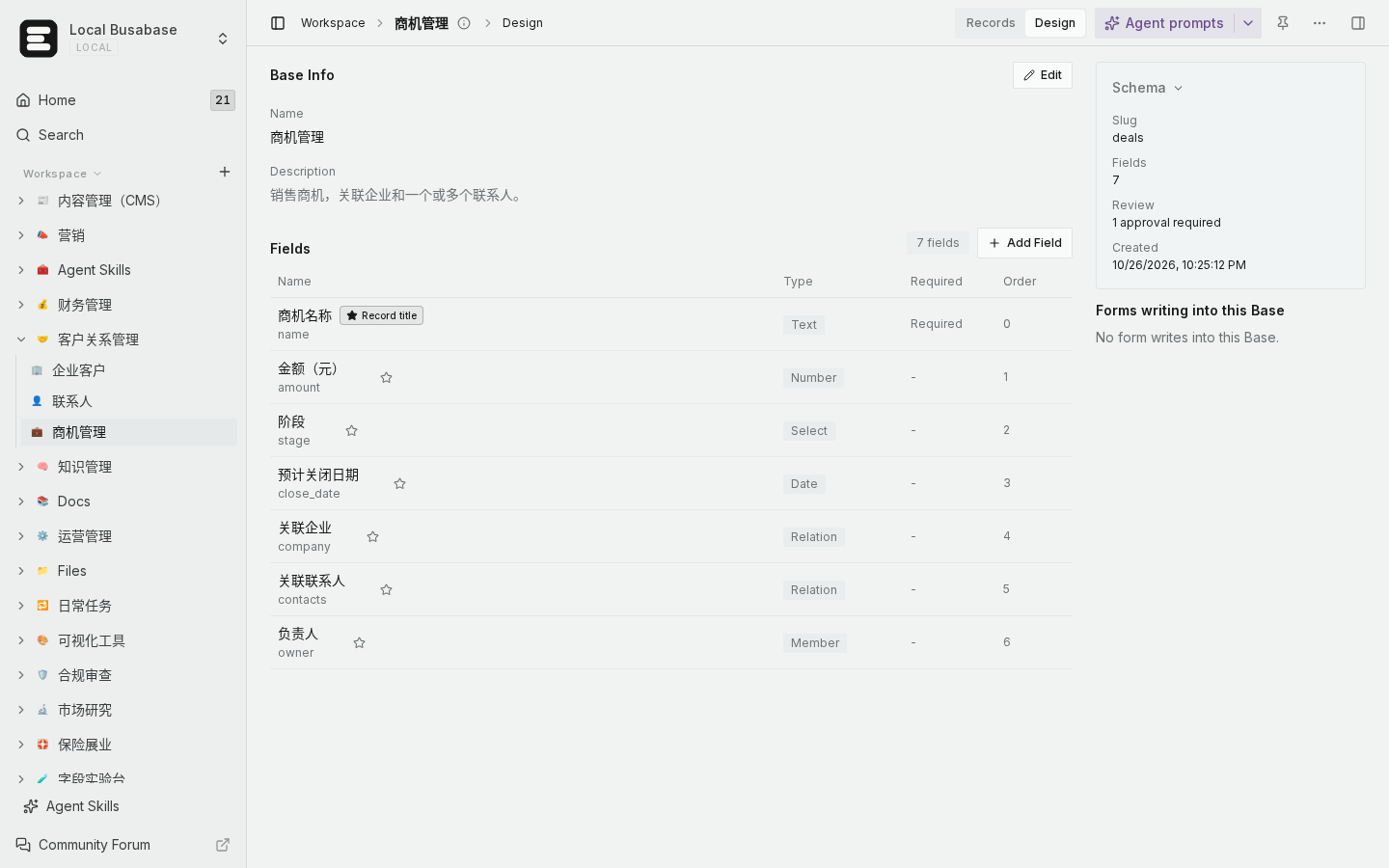
*Local demo · Deals Design with Relation fields*
How to verify
- Create or open one Order record.
- In Purchasing contact, pick Alice.
- In Billing contact, pick Alice again (or Bob).
- Save → reopen: both fields keep their links; Contacts still has a single Alice row.
Boundaries
- Relation fields are independent: clearing Billing does not clear Purchasing.
- Use Lookup / rollup fields if you need to *display* phone/email from the linked contact on the Order form — do not copy those values into Text fields unless you intentionally want a snapshot.
- If you need “many contacts in one role” (several delivery contacts), set that Relation to allow multiple links instead of adding more Bases.
If your Design panel looks different or Relation target cannot select Contacts, send a screenshot of Add Field → Relation and we can narrow it down.

