When reading order matters, do not rely on upload time. Prefer a related Files Base with an explicit sequence (and title/description) linked back to the main record. A single Attachment field is fine for “bag of files,” but colleagues cannot trust the order there.
Recommended pattern
On the main record (Deal, Case, Project…):
- Keep an optional Attachment field only for quick dumps if you still need it.
- Add a Relation to a Files (or Supporting documents) Base.
- On each File row store:
| Field | Type | Purpose |
|---|
| Parent | Relation → main record | Which deal/case this belongs to |
| seq | Number | Reading order (1, 2, 3…) |
| title | Text | “Cover sheet”, “Signed agreement”… |
| description | Long text | What to notice |
| file | Attachment / Asset | The bytes |
| docType | Select | cover / agreement / appendix… |
- Create a related view sorted by seq ascending (then title). Share that view as the default for the relation.
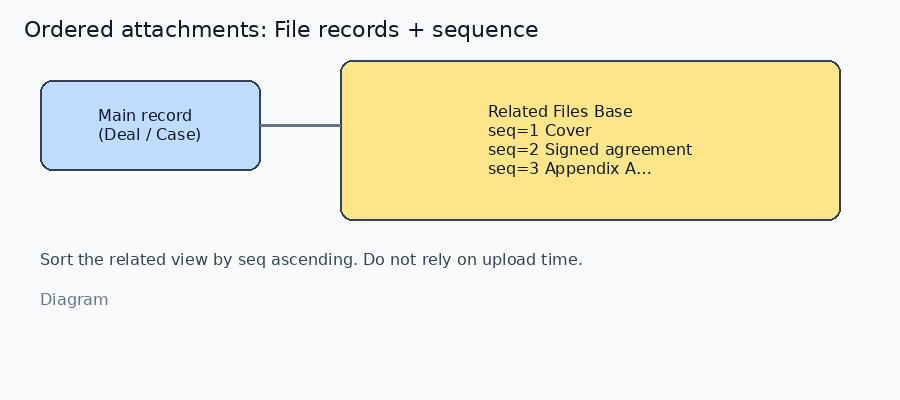
*Diagram · ordered File records with seq*
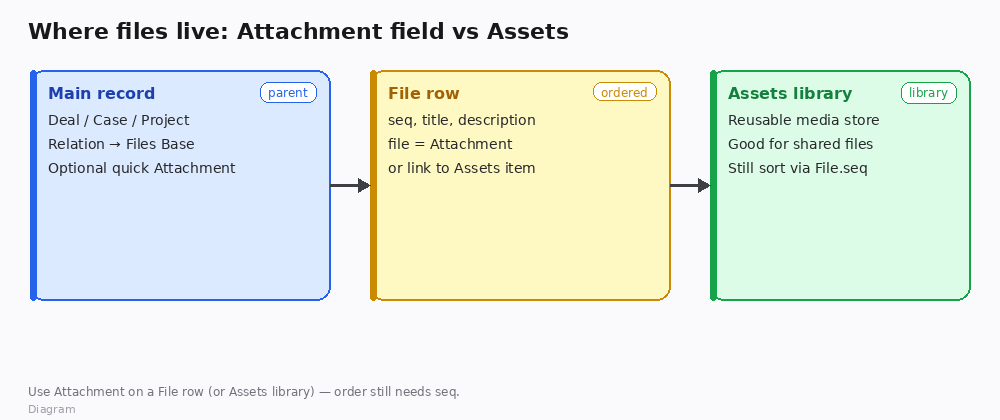
*Diagram · Attachment on File rows vs Assets library*
How to verify
- Create three File rows: seq 1 cover, seq 2 agreement, seq 3 appendix.
- Open the parent → related Files view: order is 1 → 2 → 3 regardless of which file you uploaded last.
- Change seq 3 → 2 and seq 2 → 3 → refresh: order follows seq, not upload time.
When a single Attachment field is enough
- Order truly does not matter, or
- You only ever keep one file per record.
Otherwise, Attachment-only lists train people to guess by filename or upload time — that breaks as soon as someone re-uploads.
Boundaries
- Filename prefixes (
01_, 02_) help humans but still add a seq field for sorting and Agent automation. - If you must stay on one Attachment field short-term, enforce a naming convention in the description — and plan the Files Base when the packet grows past ~3 files.
If you say whether these packets are mostly PDFs on Deals or mixed Assets, we can suggest a minimal field list for that Base.

