Record approved substitutes explicitly — a link from the primary item to each allowed alternative, with use-case and reason. Do not treat “similar category / similar name” as interchangeable.
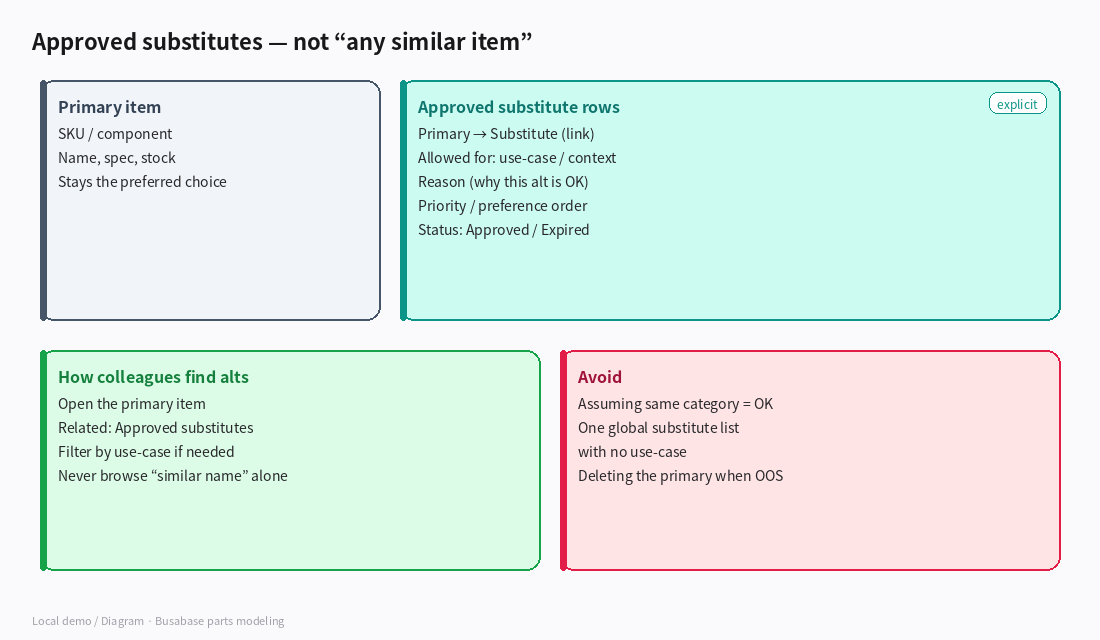
Recommended model
| Piece | Role |
|---|
| Primary item | The preferred SKU / component |
| Approved substitute (related rows) | Substitute item, allowed use-case, reason, priority, status (Approved / Expired) |
Open the primary → related “Approved substitutes.” Filter by use-case when the same alt is only OK for some jobs.
Day-to-day
- When engineering / quality approves an alt, add a substitute row (don’t only mention it in chat).
- Fill Allowed for (e.g. outdoor install / spare only) and Reason.
- Set preference order if several alts exist.
- When the primary is out of stock, colleagues pick from that related list — not from a generic catalog browse.
How to verify
- Out-of-stock primary still shows which alts are Approved for this use.
- An item that is “similar” but not linked does not appear as approved.
- Expired approvals drop out of the default view but remain in history.
Boundaries
- One global substitute list with no use-case will over-approve unsafe swaps.
- Deleting the primary when it is OOS destroys the approval trail — keep the item, mark availability.
- “Reason” is what auditors and new teammates need; empty reasons age badly.
Example goal for an Agent
For each primary part, maintain approved substitute links with use-case and reason. When stock is zero, suggest only Approved substitutes for the stated use — never assume same category means interchangeable.