Yes. Busabase can show a deadline in each teammate's local time, including when the date changes.
For a deadline with a specific time
Open the table's Design tab, edit the date field, turn on Include time, and leave the time zone set to Each viewer's local time. When entering a deadline, the editor shows which time zone you are using.
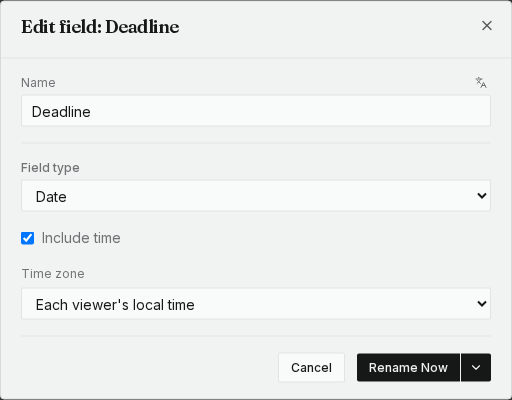
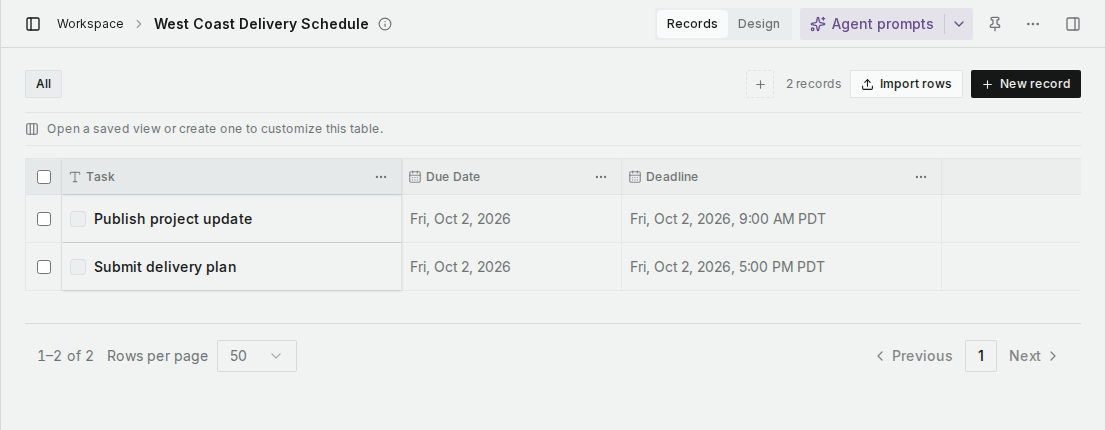
Here is your example using sample data: Friday, October 2, 2026 at 5 PM in Los Angeles is Saturday, October 3 at 2 AM in Berlin. Both cities are on daylight saving time on those dates, so Los Angeles is UTC-7 and Berlin is UTC+2. The conversion follows the date and time zone; the difference is not fixed all year.
The US Pacific view:
The Berlin view of the same records:
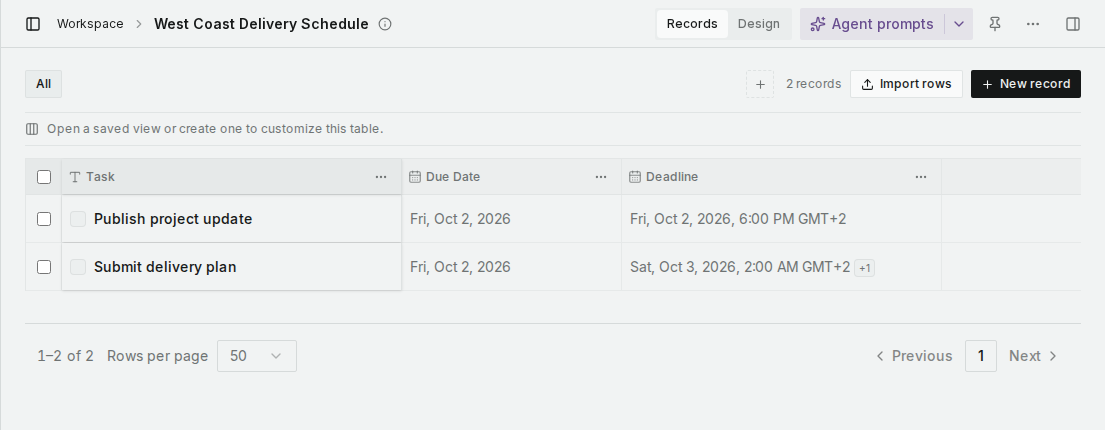
The +1 next to the Berlin deadline tells you it falls on the next calendar day compared with the time entered in Los Angeles. Hover over the time to see the original entry. A conversion to the previous day shows -1 instead.
For a due date without a time
Leave Include time off. A due date of Friday, October 2 stays October 2 for everyone. In both screenshots, the separate Due Date column stays on Friday even though the timed Deadline falls on Saturday in Berlin. Date-only values no longer shift to the previous day for people west of UTC.
If your team prefers one shared time zone, choose a fixed zone for the field, such as America/Los_Angeles, instead of each viewer's local time. Everyone will then read that field in the selected zone.
These screenshots are from the English interface with sample records.
*Editor’s note: This English scenario was adapted by the Busabase team from an earlier community discussion.*

