Yes — remove subtotal and grand-total rows before import, and keep only the transaction lines. Otherwise Busabase will treat those summary rows as ordinary records and any Sum / rollup will double-count.
What to import
| Keep | Remove (or filter out) |
|---|
| Individual transaction rows | Section subtotals |
| Grand total / “合计” rows |
| Blank separator rows that are not data |
Practical cleanup
- In Excel: filter or delete rows whose amount column is a subtotal label, or whose description is
Subtotal / Total / 合计. - Or add a helper column
rowType = line / subtotal / total, filter rowType=line, then export that sheet for import. - Import the cleaned file into your transactions Base (map columns as usual).
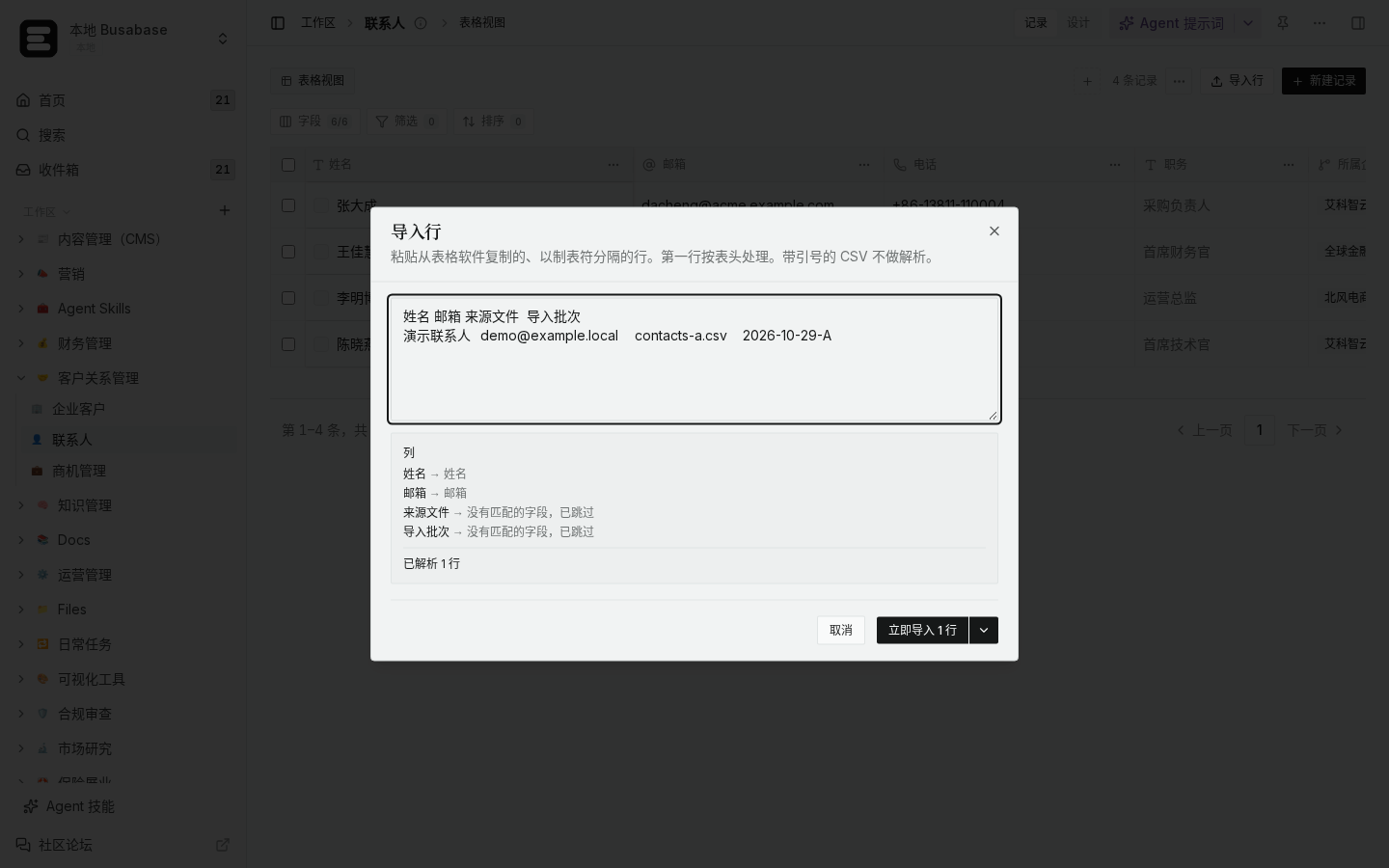
*Local demo · Import mapping*
Reconcile without counting totals twice
- After import, create a view (or dashboard metric) that Sums the amount field on imported lines only.
- Compare that Sum to the Excel grand total (the one you did *not* import). They should match within rounding.
- Optionally keep the original file in Assets and store
sourceFile / importBatch on each row so you can re-check a batch later. - If you need section subtotals inside Busabase, use a Group by / breakdown view on a category field — do not re-import the Excel subtotal rows.
Boundaries
- If a “subtotal” row in Excel is actually a real posted adjustment, keep it and give it a clear type — the rule is “don’t import *derived* summary rows,” not “never import any total-looking number.”
- Currency and sign conventions must match the report (credits vs debits) or the Sum check will fail even with clean lines.
If your sheet uses merged header rows or multiple amount columns, send a redacted screenshot of the first rows and we can suggest an exact filter rule.

