Update: this is now live on Busabase. When you install a template from the dashboard and you can edit the space, its records, Docs, Skill and AirApp now go live straight away. There is nothing left to approve, and the AirApp can run as soon as the install finishes.
If you'd rather read a template's content first, tick Send the content for review first in the install dialog. It's off by default.
Templates you installed before this change still have their content waiting in your Inbox. Approve and merge those once, using the steps below.
Thanks for raising this. It's what got the default changed.
---
*Original reply, for templates installed before the change:*
Short answer: yes. Right now a template installed from the dashboard leaves its content waiting for approval, and that's our default, not something you did wrong.
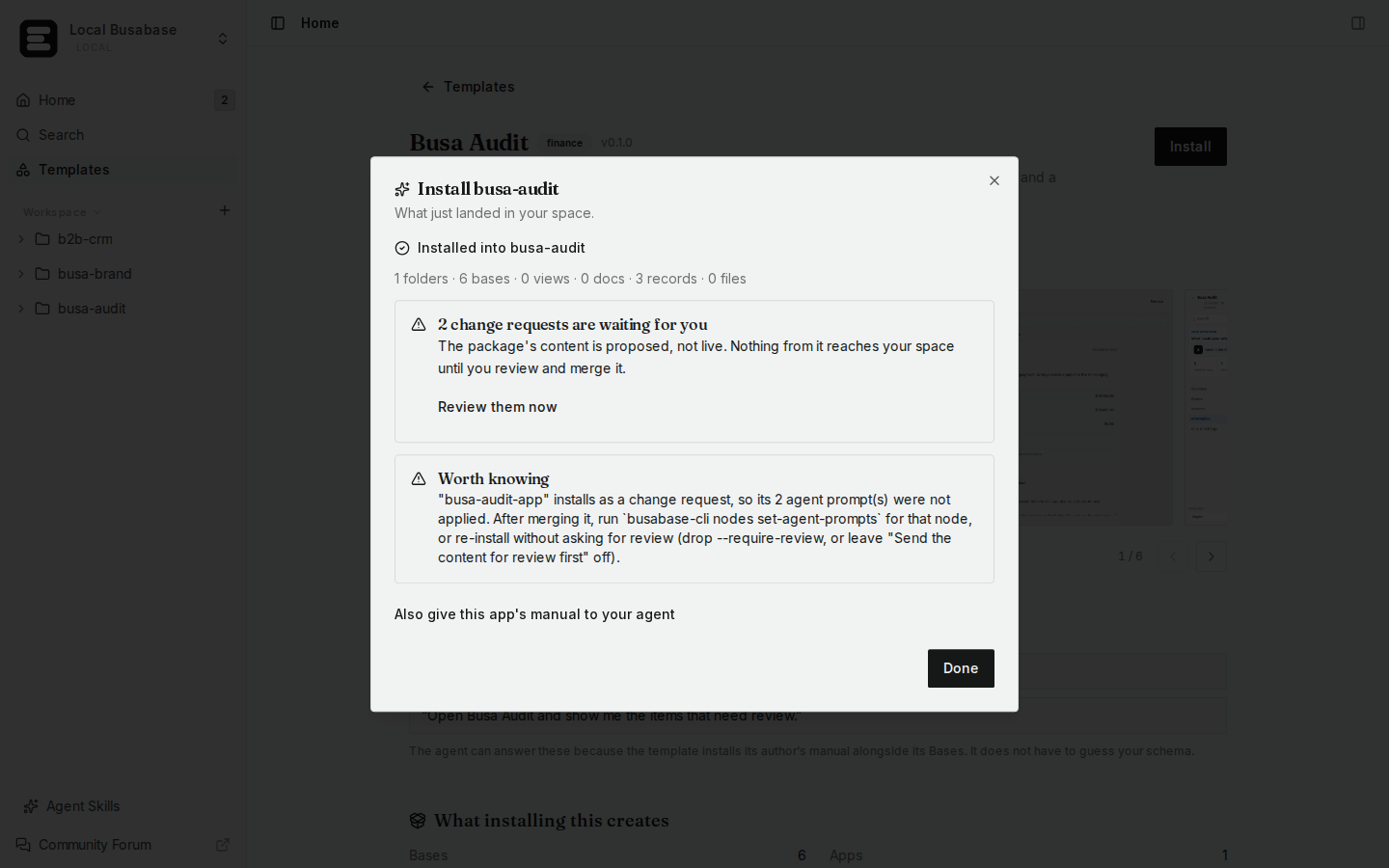
When you install from the dashboard, the folder and Bases are created right away. The records, Docs, the Skill and the AirApp's files arrive as change requests unless Install immediately, without review was ticked. Until they're merged, the AirApp has no code to run.
To get it working now (screenshots are from a local test space):
- The install result tells you how many change requests are waiting. Click Review them now, or open your Inbox.
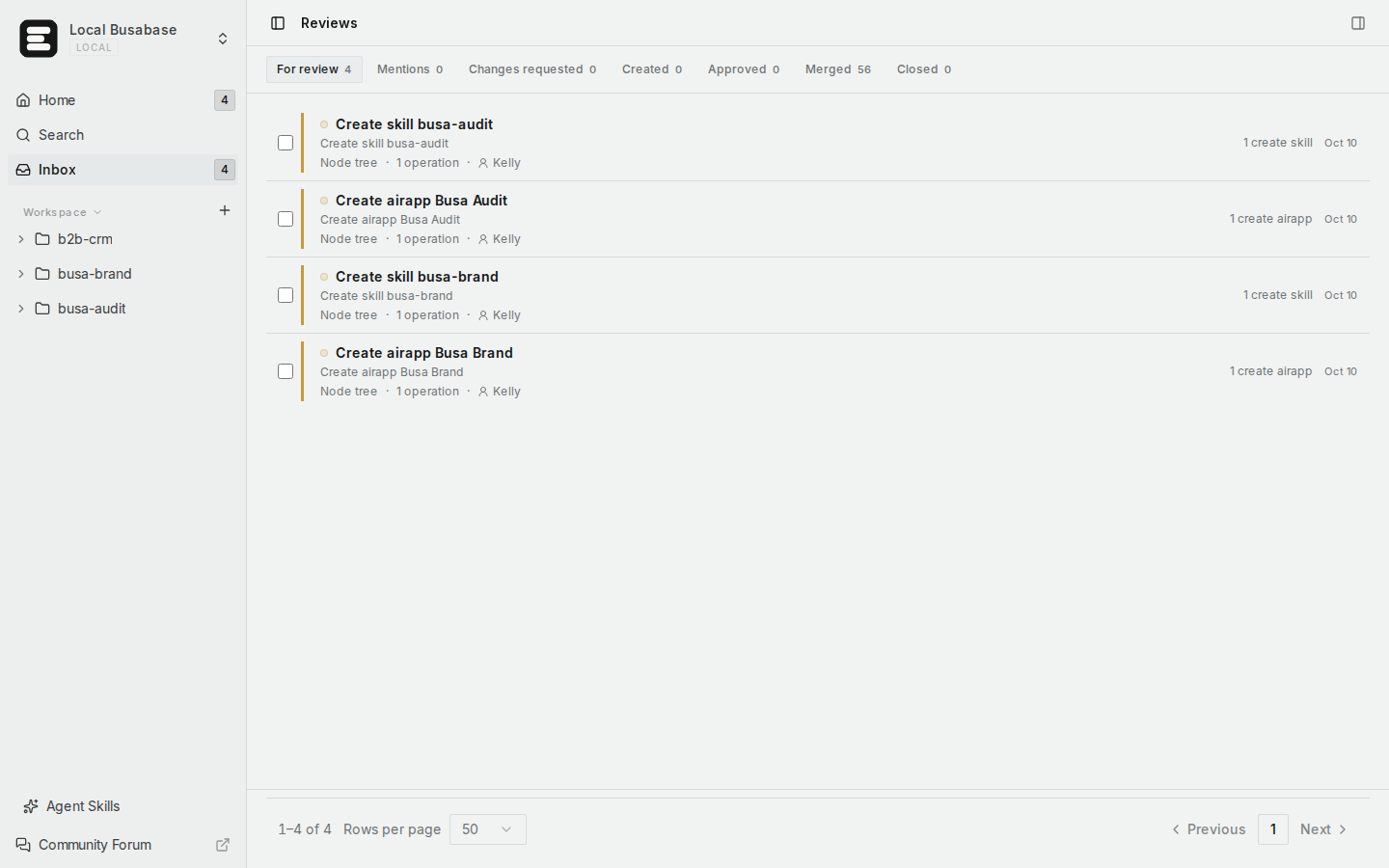
- Under For review you'll see the template's items, typically one "Create skill …" and one "Create airapp …".
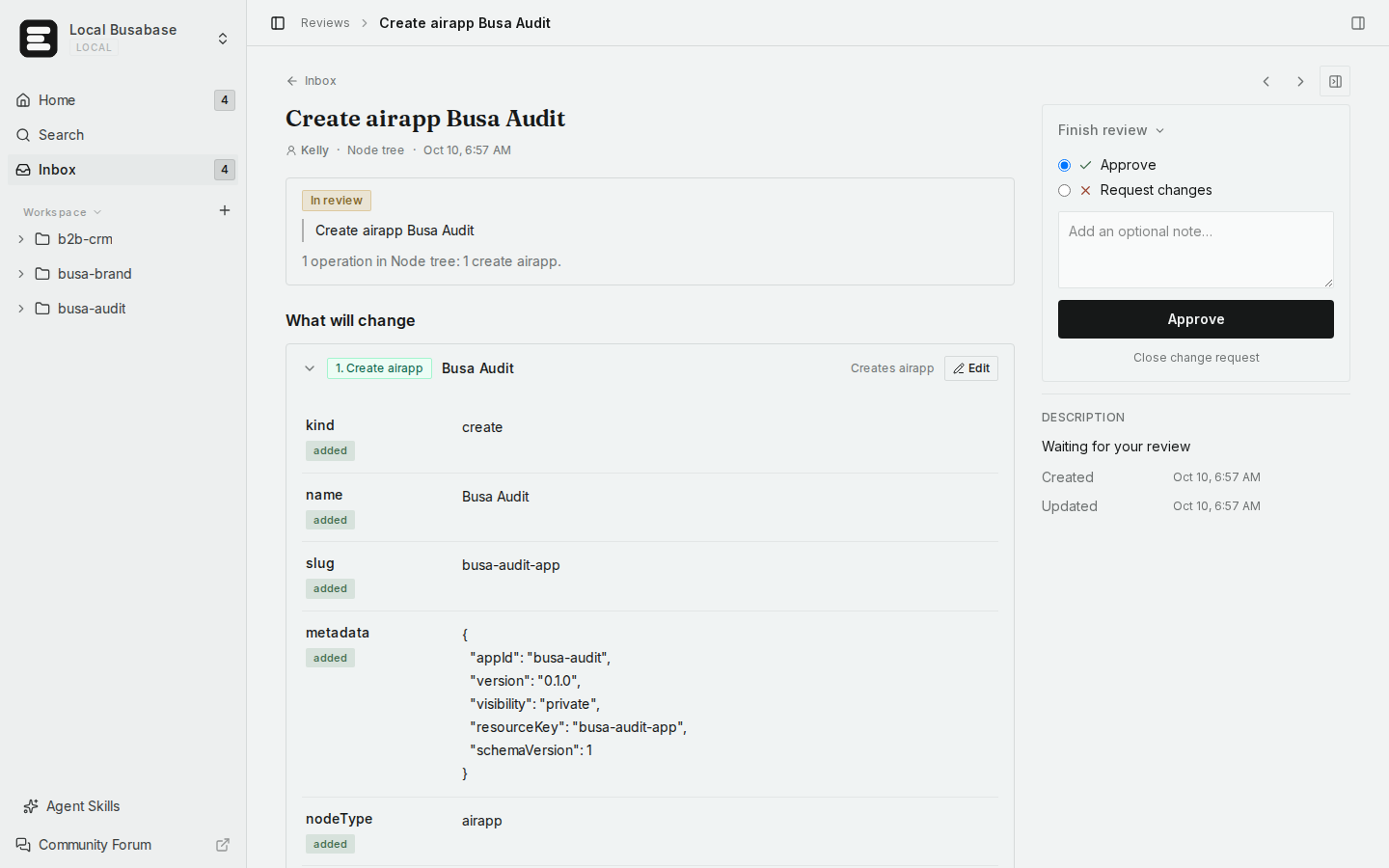
- Open each one and click Approve.
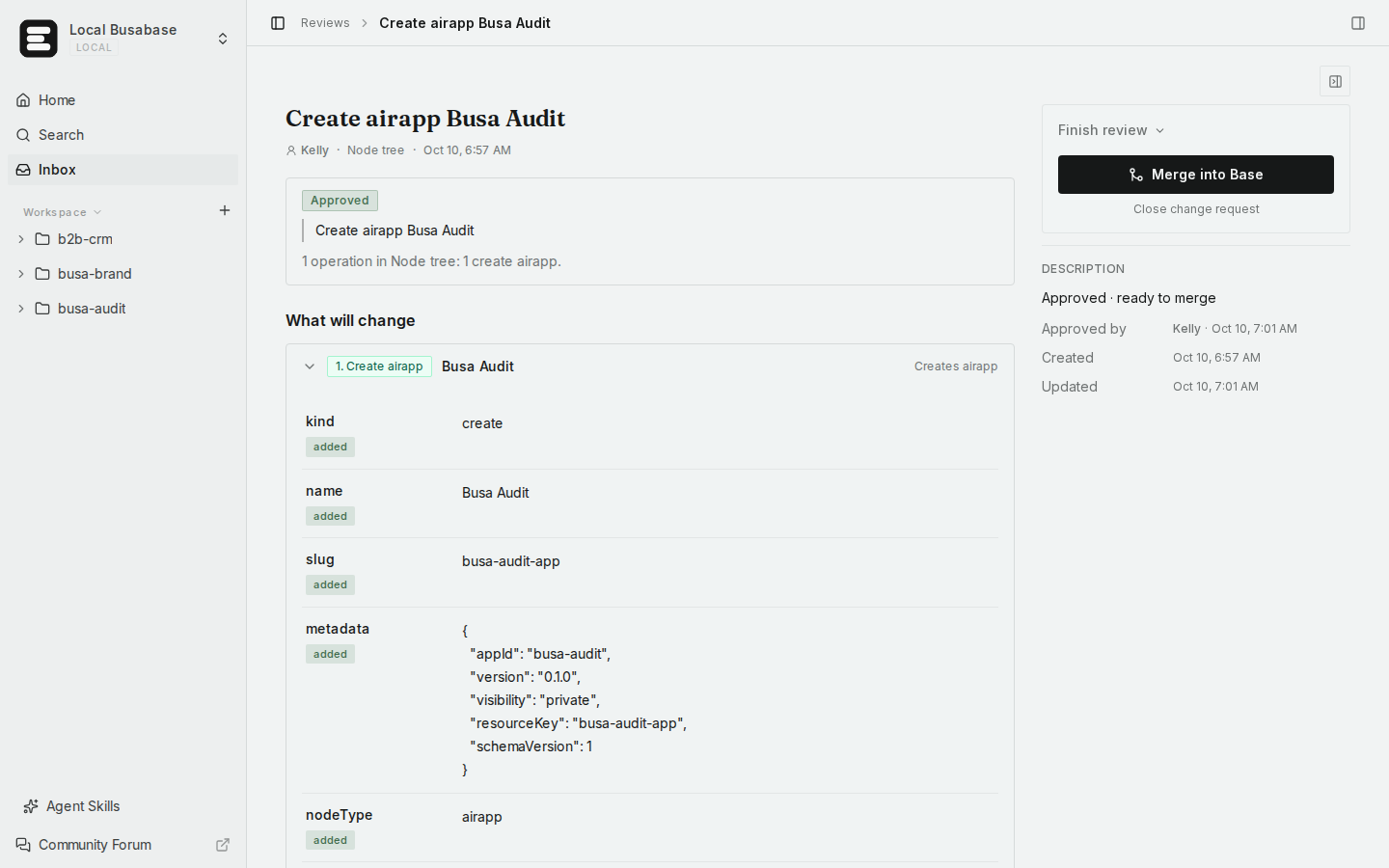
- Then click Merge into Base. Do this for both the AirApp and the Skill.
- Open the AirApp from the sidebar. On the App tab it starts on its own; the first start can take a minute or two.
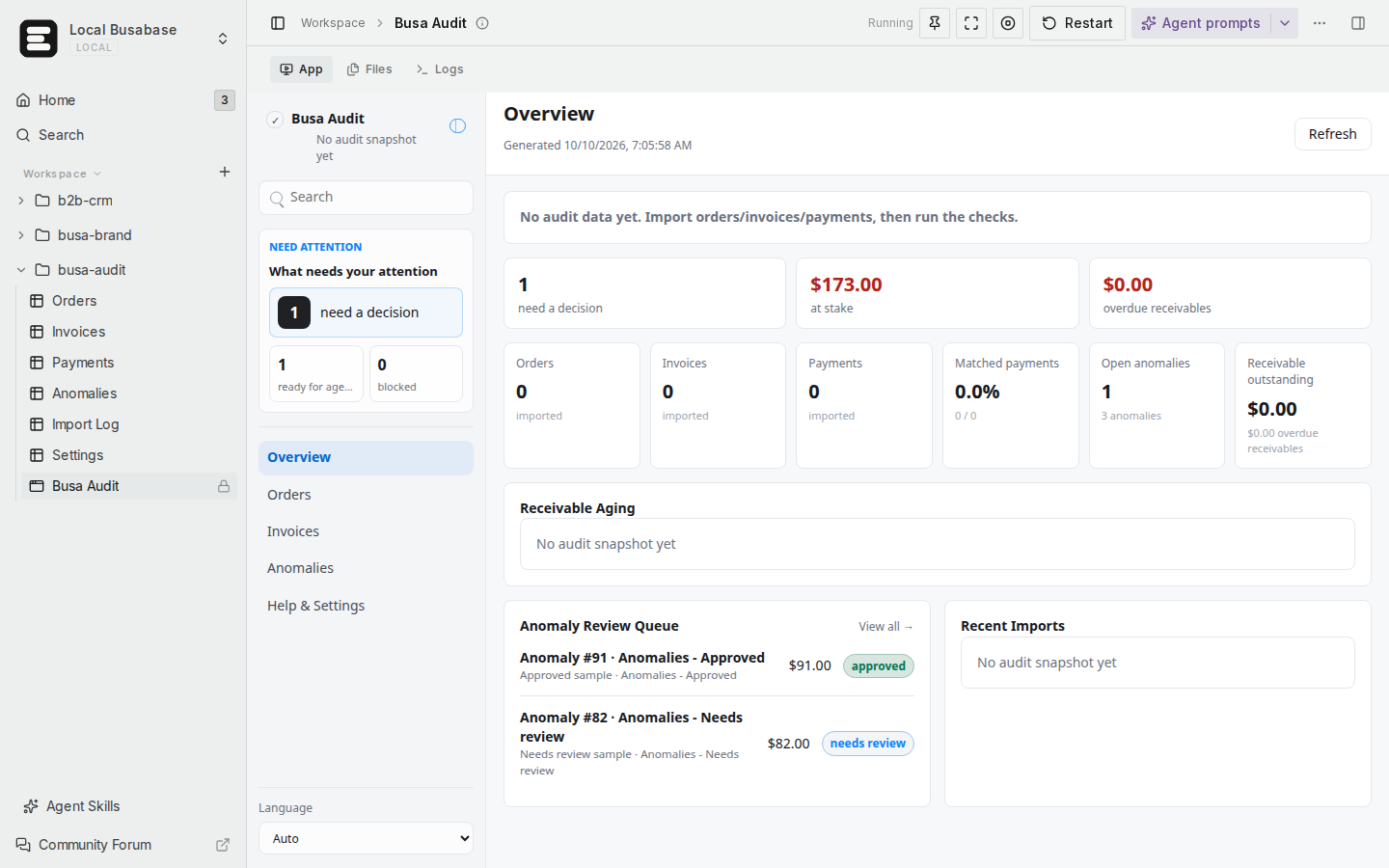
If it still won't start, open Logs and paste the first error here.
When you install another template, tick Install immediately, without review and everything goes live at once.
We also think this default is wrong. Only a space owner or admin can install a template, so asking you to approve your own install adds nothing. We're changing the install dialog so a template goes live right away when you can edit the space, with review as an option you turn on. I'll update this thread once that's live.
Install docs: https://busabase.com/docs/install-export

