Short answer: do not leave overlapping rules implicit. Encode priority in the workflow graph (or on the record) so a case that is both “urgent” and “high-value” takes exactly one intended path—unless you deliberately want both actions and model them as a sequence on that single path.
Make priority explicit
| Approach | When to use |
|---|
| Ordered exclusive branches | One condition node (or chained conditions): check highest priority first (e.g. urgent), then else-if high-value, then else default. Only one branch runs. |
| Priority field on the record | Derive routingPriority (or Select: urgent > high_value > normal) with a Formula / Agent step, then branch on that single field. |
| Both actions on purpose | Put both steps on the same winning branch (urgent path includes the high-value handling you still need)—do not fire two independent overlapping rules and hope. |
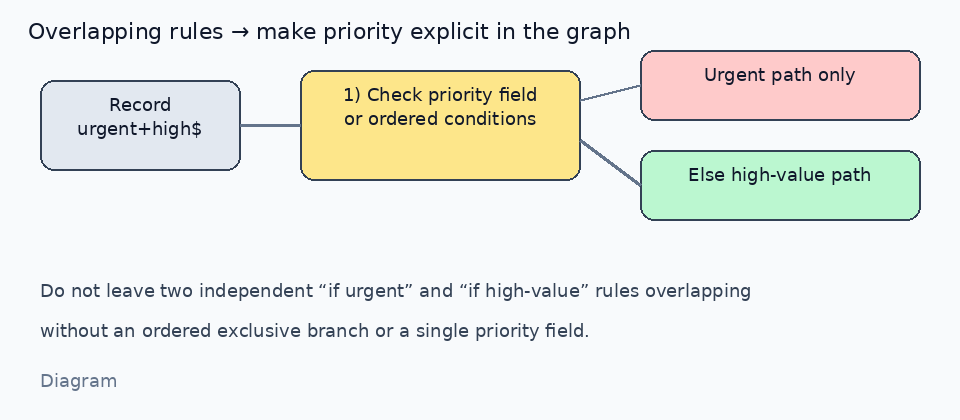
*Diagram · ordered exclusive path beats two overlapping rules*
Example for your case
- Define what wins when both match (usually urgent first).
- Condition order:
isUrgent → urgent handling → end; else isHighValue → high-value handling; else default. - If urgent high-value deals still need the high-value paperwork, include those steps inside the urgent branch (or after a shared “prepare packet” step), not as a second competing rule.
Where priority lives
- In the graph: branch order / else-if structure (clearest for readers of the canvas).
- On the record: a single priority / routing field that the graph reads (clearest for reporting and Agent reuse).
- Avoid: two separate “when urgent…” and “when high-value…” automations with no documented winner.
How to verify (once a runner executes the graph)
- Create three sample records: urgent-only, high-value-only, both.
- Run the flow → the “both” record must follow the path you documented (urgent-first, or combined branch)—not an ambiguous double fire.
- Keep a short note on the workflow (or a Doc linked from it) stating the priority rule for teammates.
Current Workflow boundary
Today you can design and save Workflow graphs in the editor. The full execution runtime is still rolling out, so the canvas itself is not yet the place to observe multi-match engine defaults in production. Until then, treat “make branches exclusive / priority explicit” as the design rule; for live routing, use Agent / Skill / automation paths that already run, with the same priority field or ordered checks. When runtime is generally available we can confirm any built-in multi-match policy against this thread.
If you share whether “both” should mean “urgent wins” or “do urgent + high-value steps together,” we can sketch the exact branch list for your Base fields.

