Two email addresses mean two separate memberships in the same Busabase workspace. Work, permissions, API keys, and assignments are tied to the account you are signed in as, not to “the person” across both emails. Check ownership before you remove either membership.
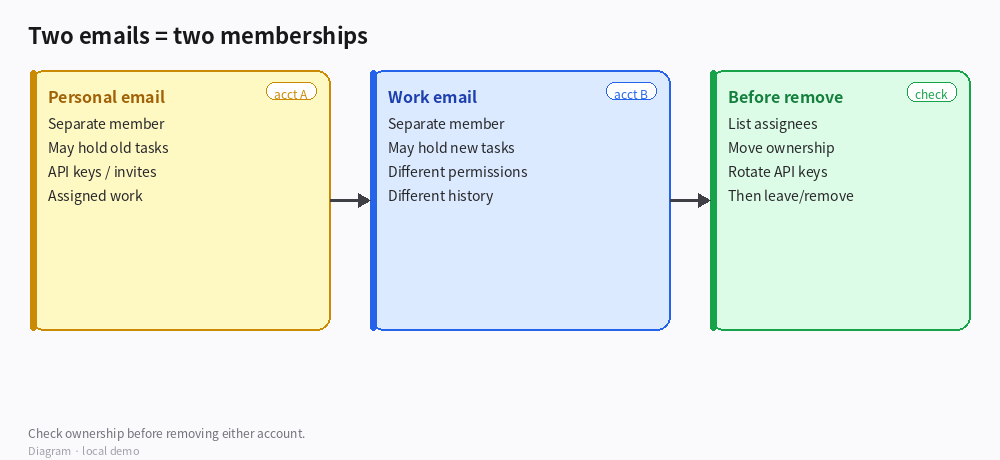
*Diagram · Two accounts → check before remove*
What to check (while signed into each email)
| Check | Why |
|---|
| Space members list | Confirm both emails appear as distinct members and note each role |
| Assigned work | Filter tasks / records by assignee = this account |
| Created / owned items | Docs, Bases, Agents, API keys created under this login |
| Shares & invites | Pending invites or links issued from this account |
| Notification email | Which inbox actually receives Space mail |
Practical pass: sign in as email A → export or note “my open assignments”; sign in as email B → do the same; compare.
Before removing a membership
- Decide which account will remain the canonical work identity (usually the work email).
- Reassign open tasks / Member fields from the retiring account to the canonical one.
- Recreate or rotate API keys that lived on the retiring account; update integrations.
- Transfer or copy any private drafts only that account can see (if your Space uses limited visibility).
- Only then leave / remove the extra membership — and keep a short internal note of what was moved.
How to verify
- Members list shows only the intended email (or both, if you intentionally keep both with clear roles).
- Open work that used to sit on the old email now shows the canonical assignee.
- Integrations still authenticate after key rotation.
Boundaries
- There is no automatic “merge these two emails into one person” for membership and history; treat them as two users until you finish the handoff.
- Removing a member does not always rewrite historical “created by” labels — plan communication so teammates know which login to @mention going forward.
- If SSO / verified domain rules apply in your org, follow your admin’s policy on personal vs work addresses.
If you can say whether both emails are still in Members and which one holds more assignments, we can suggest a minimal cutover order.

