Upload a Markdown file when you need a stable, downloadable artifact. Create a document when people (and Agents) will keep editing the content inside the workspace. If the text will change regularly, pick one of those as the source of truth — don’t keep both in sync by hand.
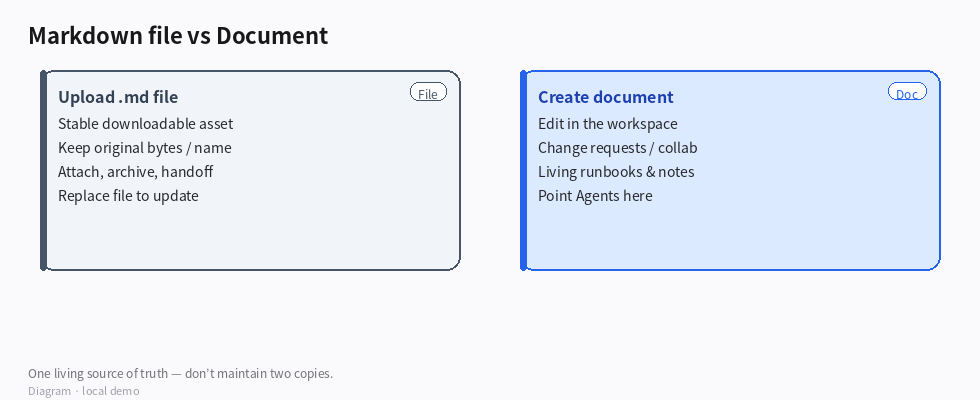
(Diagram: File = archive / attach; Doc = living workspace text.)
How they differ
| Markdown file | Document |
|---|
| What it is | A file node (an asset you can download, pin, attach) | A Doc node meant for reading and editing in place |
| Editing | Replace or propose a new file version; not a long-form editor thread | Edit body in the doc experience; changes go through the usual change-request flow |
| Best for | Specs you received as .md, exports, read-only handoffs, “keep the original bytes” | Team notes, living runbooks, Agent-maintained pages |
| Maintenance | Easy to leave a stale copy next to a newer doc | One place to update; links and search stay on that node |
When to upload the file
- You already have a
.md from elsewhere and mainly need to store / share / attach it. - You care about the original filename and bytes (audit, vendor handoff).
- Agents or people will download it more often than rewrite it in Busabase.
When to create a document
- The content will be updated regularly in the workspace.
- You want comments, iterative edits, and Agents writing into the same place.
- Readers should open it like a page, not hunt for an attachment.
Avoid two copies
- Choose the living form (usually a document if you’ll edit often).
- Paste or import the Markdown into that document once.
- Keep the uploaded file only if you still need the original artifact — label it “source archive” / freeze it, or remove it after import so nobody updates the wrong one.
- Point links, skills, and Agent prompts at the document node, not the archive file.
How to confirm
- Open the place you intend to maintain: edits land there; the other copy (if any) is clearly archived or gone.
- Search / Agent prompts resolve to the living node.
- Downloading the file (if kept) still matches the “archive” story, not a second live draft.
Boundaries
- Editing only the file while teammates edit a doc → silent drift.
- Uploading
.md and also pasting into a doc without a “source of truth” label → double maintenance. - Huge one-off dumps you’re unlikely to edit: file is enough; don’t force a doc.
Example goal for an Agent
Import this Markdown into a single Busabase document as the living copy. Keep the uploaded .md only as a read-only archive labeled “original,” or remove it after import. Update prompts to open the document, not the file.
One living copy beats two almost-the-same Markdowns.
