They land in a dedicated Uncategorized column on the same Kanban board — they are not dropped off the board.
When a Busabase Kanban is stacked by a single-select field (for example Status), any record whose value is empty goes into Uncategorized (the board’s empty bucket). That column stays hidden while its count is 0, and appears as soon as at least one record has no status, so newly entered rows without a stage are easy to spot instead of vanishing into a separate hunt.
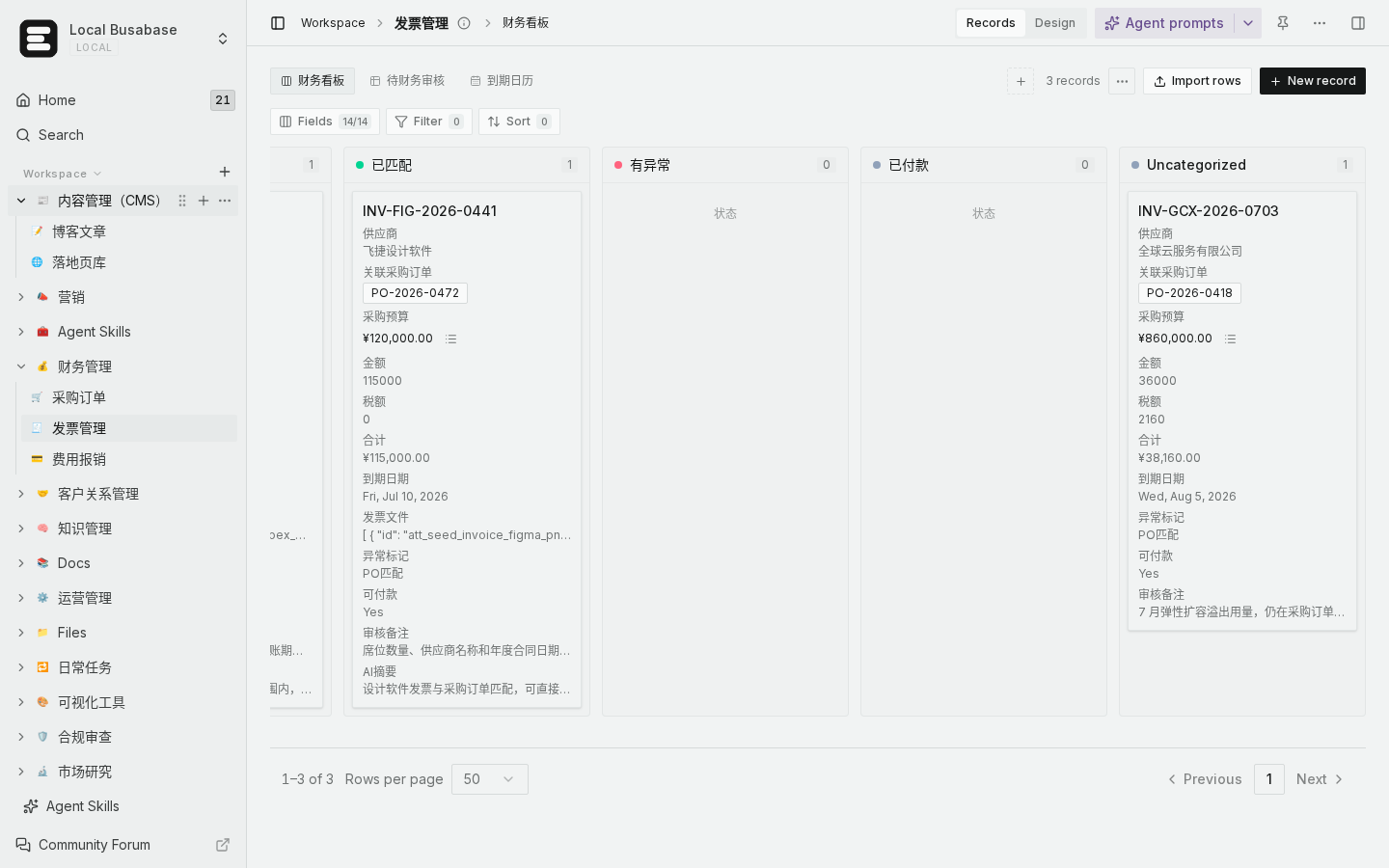
*(Local demo: AP board stacked by status — empty status appears under Uncategorized, with the card still on the board.)*
What to do day to day
- Open the Kanban that stacks by your status / stage field.
- If anything is unset, look for Uncategorized (usually at the end of the columns).
- Drag the card into the right stage, or open the record and pick a status.
- Optional safety net: keep a table view filtered to status is empty, in case a view filter on the board itself hides those cards.
How to verify
- Clear status on a test record (or create one without setting status) → Uncategorized appears and shows that card.
- Assign a status (or drag into a stage column) → the card leaves Uncategorized; if nothing else is empty, that column disappears again.
- If you still cannot find a row, check the active view’s filters — a filter that excludes empty status will hide those cards from the board entirely.
Practical tips so new records are not overlooked
- Set a default choice on the status field for new records (for example “Inbox” / “To triage”), so brand-new rows already have a stage.
- Treat Uncategorized as the triage lane: skim it at the start of the day, then drag out.
- Pair the board with a small “empty status” grid filter if your team enters data from several places.
Boundaries
- Uncategorized only covers empty / unset values for the field the board stacks by — it is not a separate base or a second status option you must create.
- Cards filtered out by the view never show in any column, including Uncategorized.
- Multi-select or non-select stack fields are outside this Kanban empty-bucket behavior; stack by a single-select status/stage field for this pattern.
With Uncategorized visible whenever something is unset, newly entered records stay on the board until someone assigns a stage — no need to hunt them only in the table.
