In Busa CMS, keep both in the Markdown body: put alternative text inside the image syntax, and put the visible caption as ordinary Markdown (or a figcaption) next to the image. CMS stores the Markdown; your website renderer decides how caption and alt are displayed on the page.
What goes where
| Need | Where in Markdown | Who uses it |
|---|
| Alternative text (accessibility / when image fails) | ` | |
[image removed: unsupported link]
— the […] brackets | Screen readers; img alt` in HTML |
| Visible caption (readers see under / beside the image) | A line under the image, e.g. *Photo: factory floor, 2026* or a figure / figcaption block if your renderer supports it | On-page readers |
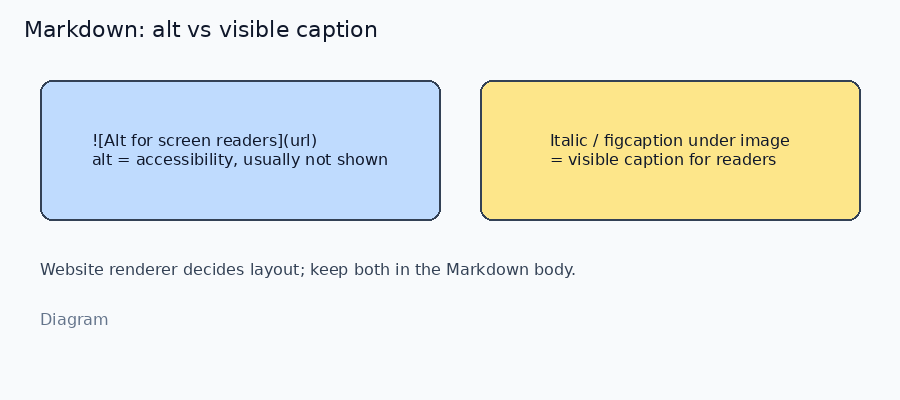
*Diagram · alt in ![…] vs visible caption below*
Example

*Local demo / Diagram — monthly signups*
- Alt: concise description of the image content (not the same as SEO title).
- Caption: what you want sighted readers to see (credit, short explanation, or “diagram” label).
What depends on the website renderer
Busa CMS stores the Markdown body; the site (Safe Markdown / your Next components) turns it into HTML:
- Standard
 → an <img alt="…"> (alt is usually not shown as visible text). - The italic / paragraph /
figcaption you wrote → visible caption only if the theme styles that Markdown as a caption. - If the front-end replaces Markdown images with a custom component, caption rules follow that component — check your site’s article template once.
Cover images and CMS fields such as SEO title are separate from inline body images; they do not replace alt / caption inside the article body.
How to verify
- In CMS, set a distinct alt string and a distinct caption line; publish / preview.
- View page source or inspect the image:
alt should match the bracket text. - On the page, confirm the caption line is visible where your theme places it.
- If caption text appears only in the Markdown editor but not on the site, the gap is in the renderer / theme, not in missing CMS fields.
Boundaries
- Do not put the long visible caption only inside
![…] and expect it to show on the page — many themes hide alt. - Do not leave
 empty alt on informative images; use a short description or mark decorative images deliberately. - Asset library metadata is for the file; article-specific wording still belongs in that article’s Markdown.
If you tell us whether the site uses the standard Busabase CMS Markdown helpers or a custom image component, we can mirror the exact caption pattern that theme already styles.

