For values that live on the underlying Base fields, the CRM AirApp generally picks them up from the Base schema — you usually do not need to republish the app just to add a currency or a sales stage. Things the app hardcodes in its own UI or logic still need an app change.
Typically read from the Base (change in Design → reflects in CRM)
| Setting | Where you change it | What updates |
|---|
| Sales stages on a Select / status field | Base → Design → that field’s options | Entry forms that use the field; Pipeline / Kanban that group by that field |
| Currency on a Currency field (e.g. allow CNY) | Base → Design → Currency field settings | Amount entry and display for that field |
| New options on other Selects used by CRM | Same | Dropdowns bound to those fields |
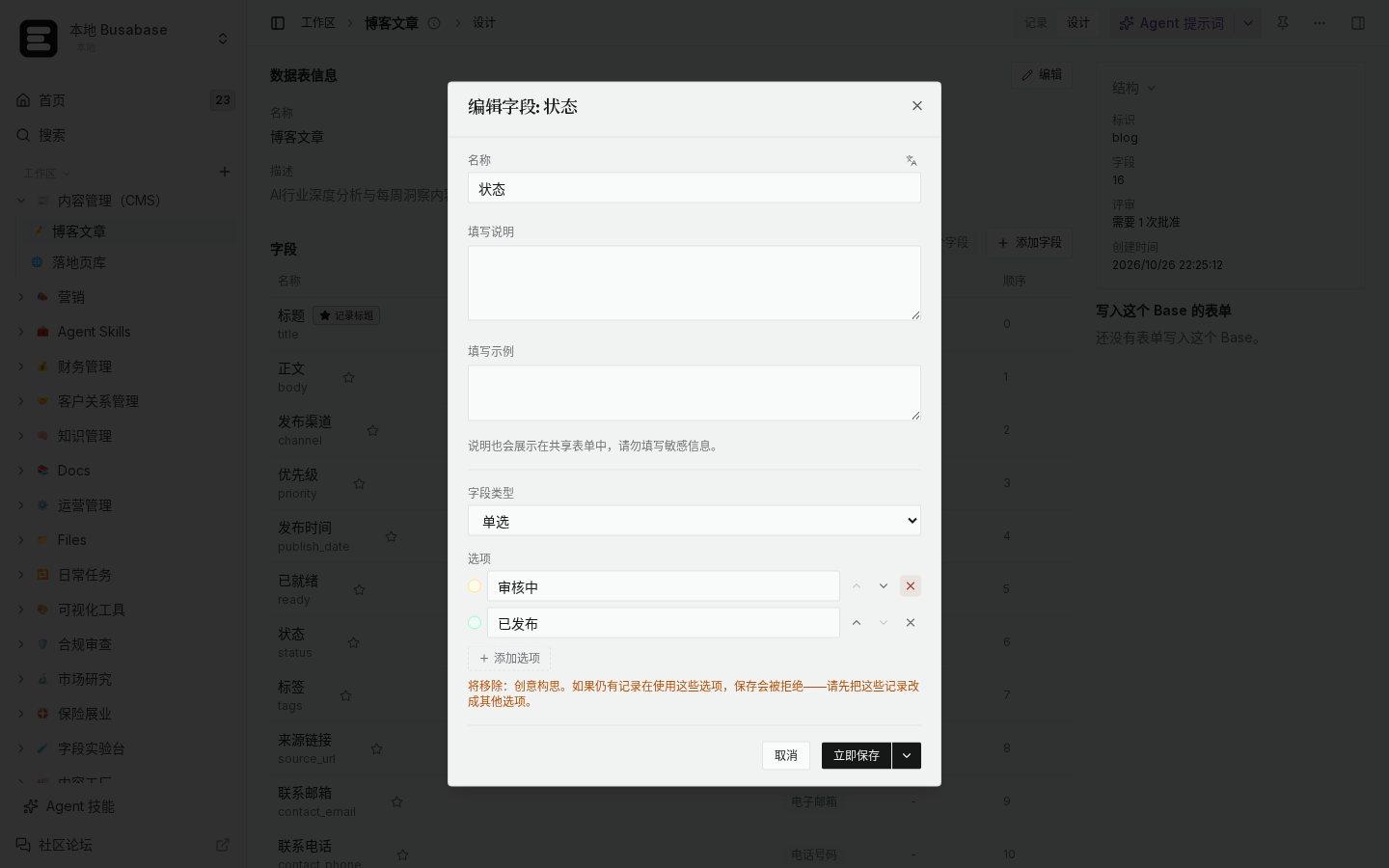
*Local demo · Select / status options drive board columns*
*Local demo · CRM Deals Base Design*
Usually requires an app (or view) change
- Custom labels, help text, or illustrations that name stages in copy inside the AirApp.
- Filters, dashboards, or automations that list stage values explicitly (e.g. only
Qualified + Won) — add the new option there too. - Special layout widgets that assume a fixed stage list rather than reading field options.
- Multi-currency reporting rules if the app converts with a hardcoded currency list.
How to verify
- Base Design → open the Pipeline stage field → add a custom stage (or add CNY on the amount Currency field) → save.
- Open CRM entry form / Pipeline → confirm the new option appears without rebuilding the app.
- Create a deal on the new stage (or with CNY) → confirm it shows in the board and amount display.
- If a custom CRM widget still hides the new value, that piece is app-side — adjust that filter or layout.
Boundaries
- Existing records keep their old stage until you edit them; adding an option does not rewrite history.
- Removing or renaming a stage that records already use needs a data migration plan (bulk edit or mapping).
- If your workspace uses a heavily customized CRM AirApp fork, treat “hardcoded stage lists” as app config and double-check that fork’s source.
If a specific CRM screen still ignores a new Base option after refresh, tell us which screen (form / pipeline / report) and we can narrow whether it is schema-bound or app-bound.
