
Wenke Li
Reviewing a few dozen records is manageable, but hundreds can get overwhelming. How do you decide what needs a close look and what can be approved in bulk in Busabase? Any tips for saving time without missing errors?
Reviewing a few dozen records is manageable, but hundreds can get overwhelming. How do you decide what needs a close look and what can be approved in bulk in Busabase? Any tips for saving time without missing errors?

Good question — I think it mostly comes down to team size, and what's downstream of the data.
If you're the only one in the workspace, you probably don't need to review every record before it lands. You're the one who'll notice if something's off later anyway, and fixing one row is cheap.
Once more people (or agents) are writing into the same Base, it's worth deciding who gets to write directly and who has to go through review first. This is a setting per person, on a specific folder or Base — not one switch for the whole space. Open that item's Permissions, pick someone, and give them one of these:
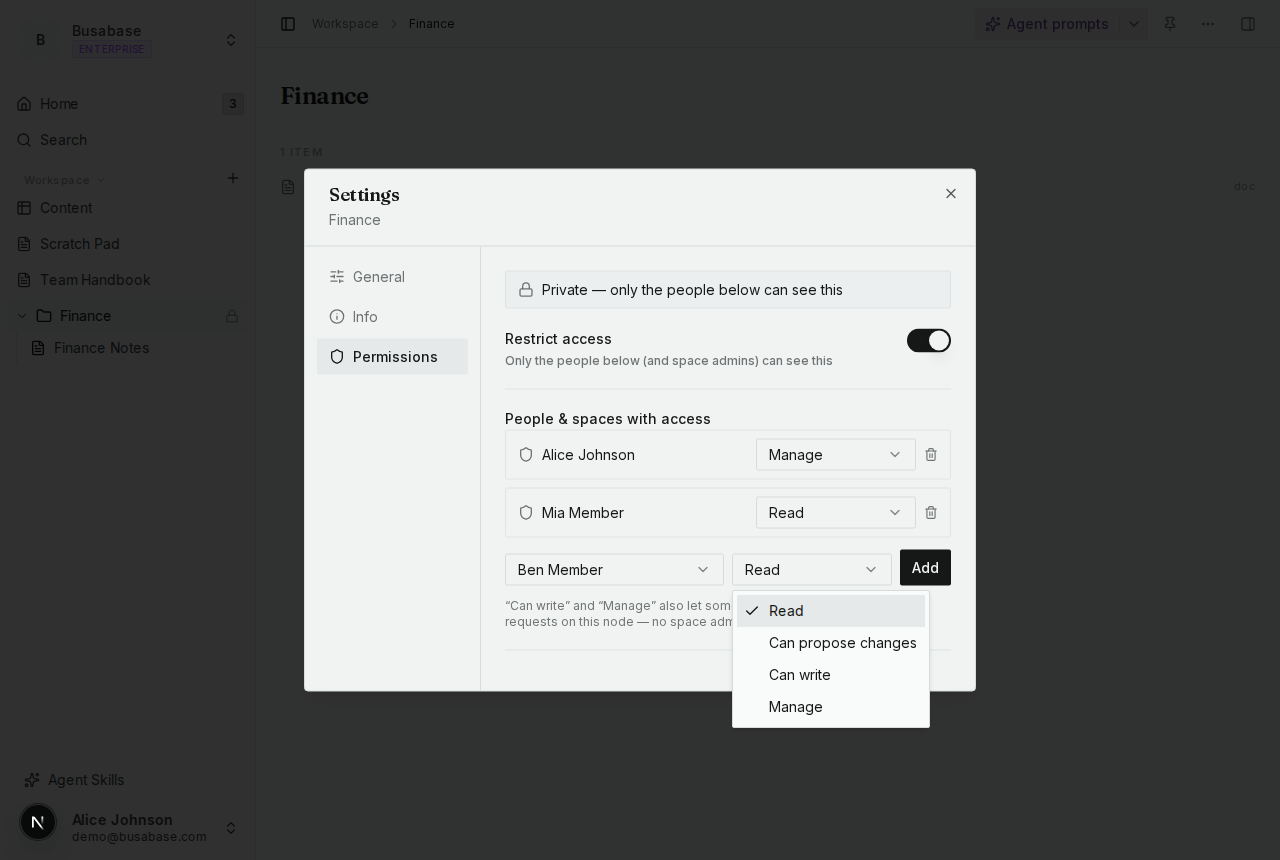
Can write merges their changes immediately — nobody reviews them. Can propose changes does the opposite: everything they do queues up as a change request for someone else to approve first, and they can't merge their own. Here's that set on a real teammate:
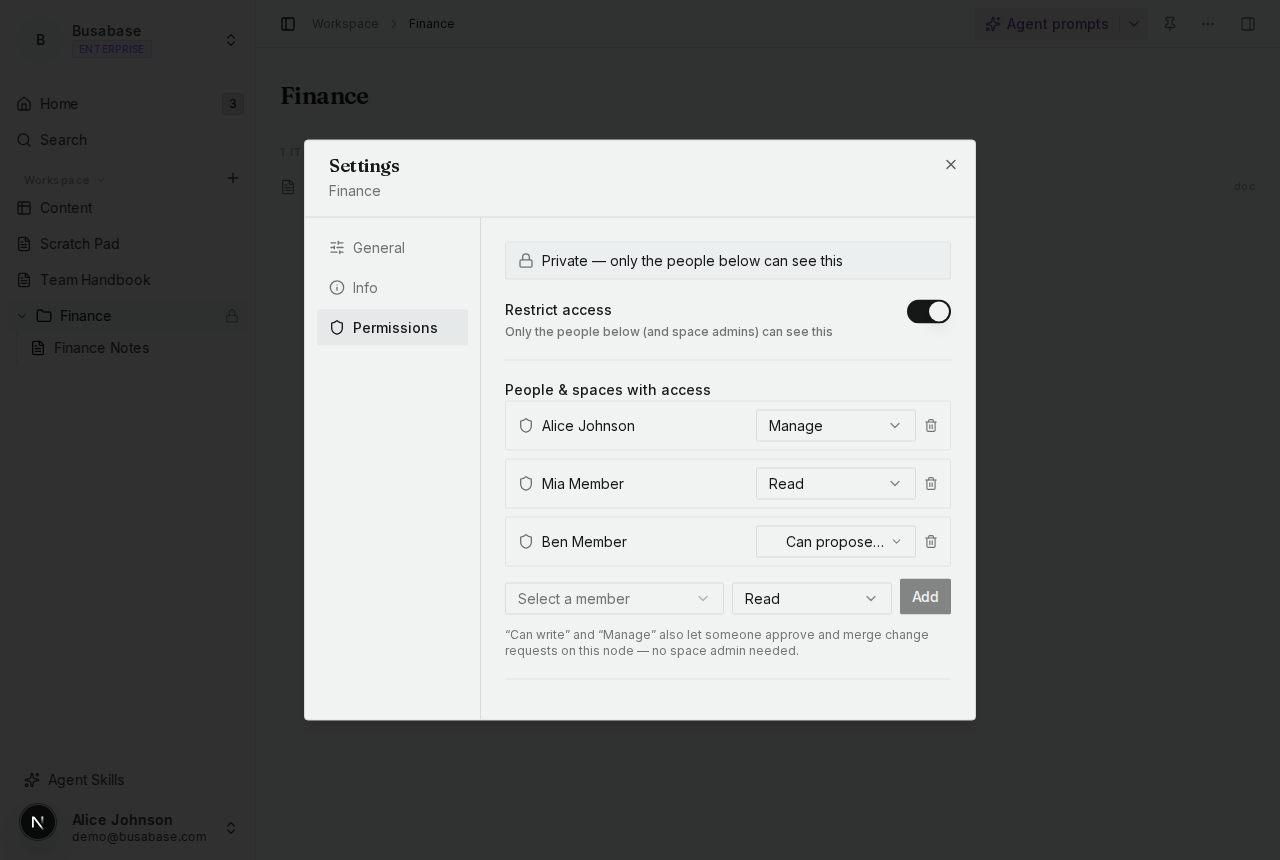
That note under the list is worth reading closely — "Can write" and "Manage" *also* let someone approve other people's proposals, not just merge their own. So it's not "reviewer vs. writer," it's a ladder: Read → Can propose changes → Can write → Manage, each level including everything below it.
A few scenarios that might help decide where to draw the line:
For the "hundreds of AI-generated records" case specifically — reviewing each one individually doesn't scale either way. What tends to work better is leaving routine inserts on Can write, and reserving "Can propose changes" for whatever changes the *shape* of the data (new fields, changed field types) — those are the changes that are expensive to undo. A wrong row is usually a two-second fix after the fact.
Sign in to join the discussion. Reading is always open; you only need an account to post.
Sign in