Yes. The shortest path is to connect the Agent you already use to Busabase and install the Busabase Skill in that Agent. It can keep doing the actual task in its existing tools, then use the Skill to bring a reviewable result back to your Space. Busabase will not automatically watch every external system: the Agent (or an integration you build) has to send each result.
1. Connect the Agent to the right Space. Open your Busabase workspace and click Agent Skills. Under Coding agent, copy the space-specific prompt and paste it into the Agent that runs your work. Follow its onboarding and ask it to verify the Space name and ID before writing anything. The screenshot is from our public Demo Space; copy the prompt from *your own* workspace, not its demo ID.
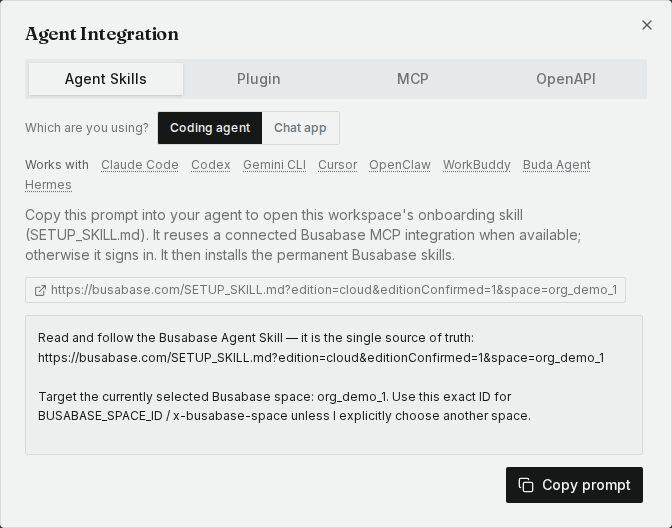
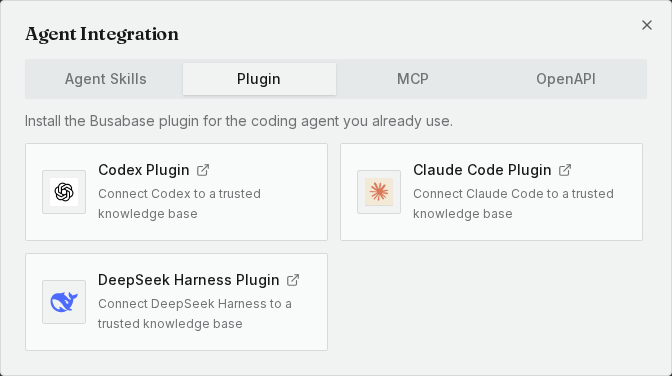
For Codex or Claude Code on Cloud, you can use the dedicated Codex plugin or Claude Code plugin; those install the Busabase Skills and MCP connection together. For Cursor, Gemini CLI, or another coding Agent, the copied Agent Skills prompt is the general setup path. The Get Started with Agents guide walks through the client and Cloud/Desktop choices.
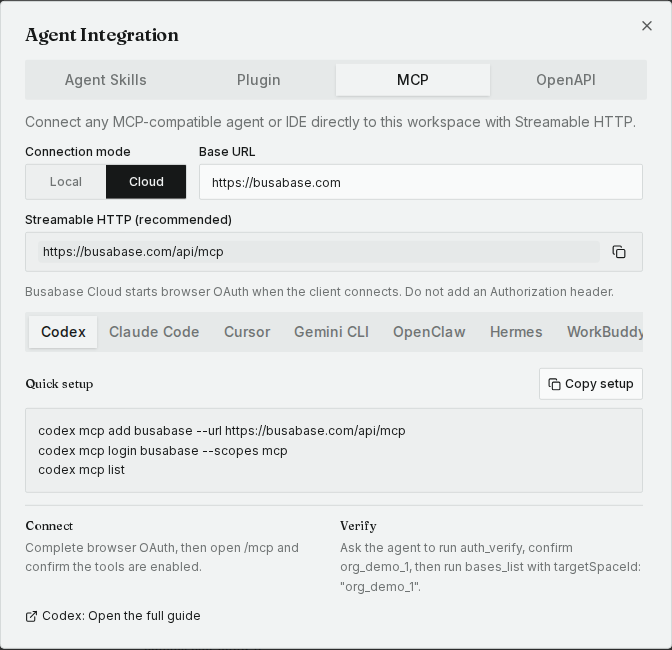
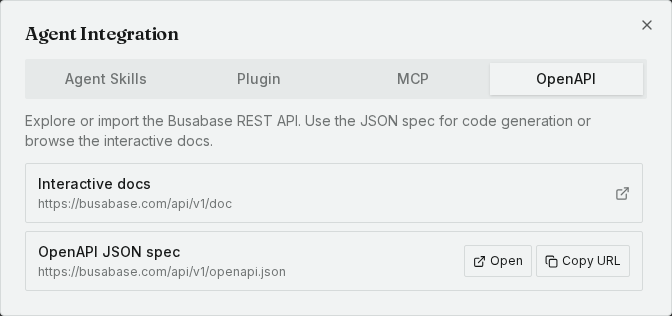
2. Choose another integration only if your Agent needs it. A hosted chat product or MCP-capable client can connect to Busabase Cloud at https://busabase.com/api/mcp and authorize in the browser. Choose the changeRequest permission if its results must wait for a human; the MCP guide has client-specific steps. A server or custom connector that calls HTTP directly can use the REST API and the OpenAPI spec. Keep its credential on the server. A hosted Agent cannot reach Busabase Desktop running only on your laptop without a separate reachable connection.
3. Tell the connected Agent what result to return. A simple Task results Base can hold one record per external task: source system, stable task ID, latest run status, attempt count, finish time, short result, evidence link, review status, and owner. Keep full logs and raw files where the task ran; link to the exact run so a reviewer can inspect them. Before each submission, have the Agent look up the source system and task ID and propose an update to the existing record if it finds one. If every retry needs its own history, add a linked Task attempts Base with one record per run ID.
For example, give the Agent this instruction after connecting it:
Use your installed Busabase Skill and confirm the target Space. For external task SYNC-428, find the existing Task results record by source system and task ID, or propose a new one. Record the latest outcome, attempt count, a two-sentence summary, and a link to the exact run. Submit it as a Change Request for human review. Do not approve or merge it. Return the Change Request link.
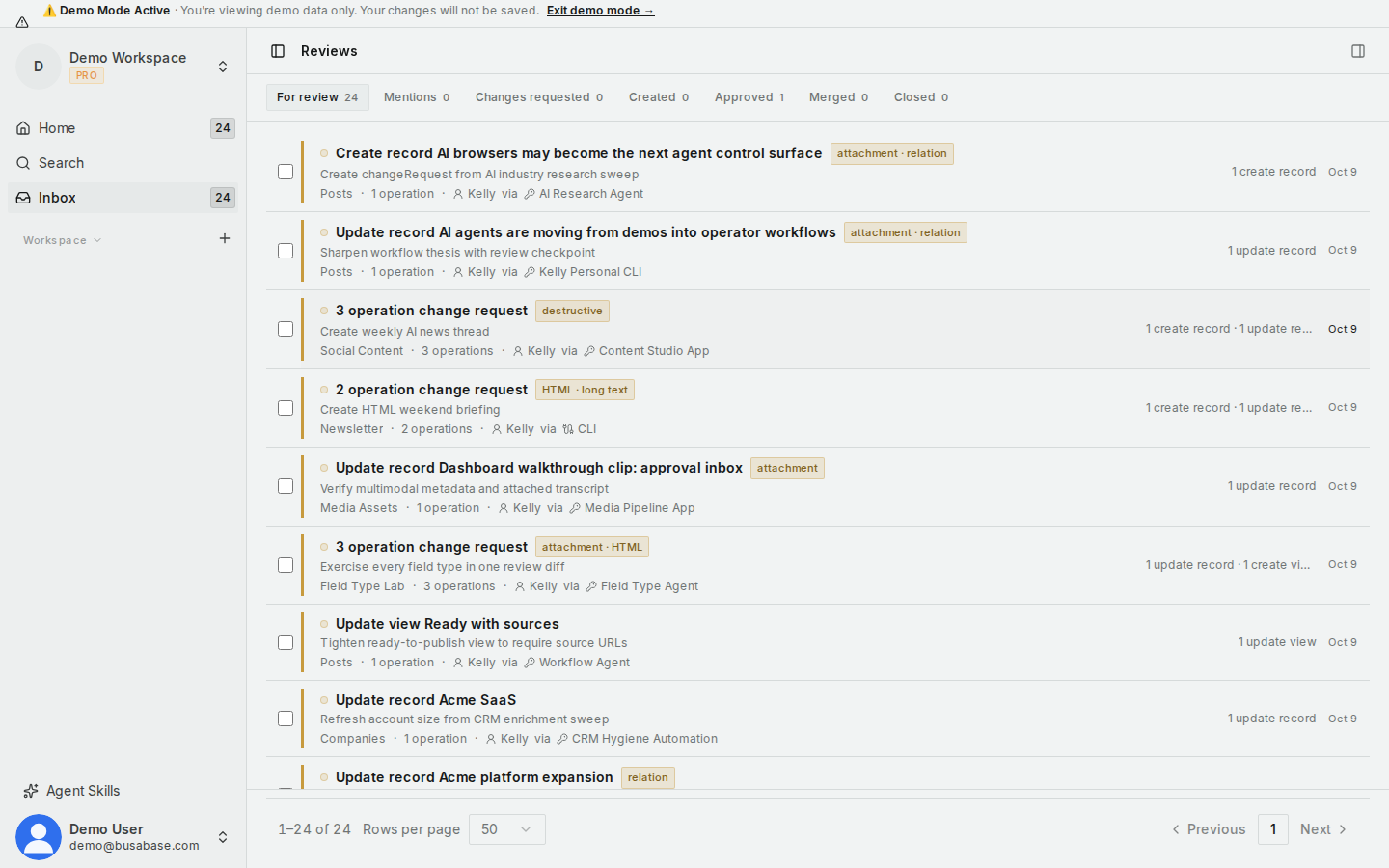
4. Review the result in Inbox. With a changeRequest-level credential, the Agent can propose but cannot merge its own result. Your team opens Inbox → For review, checks the result and evidence, then requests changes or approves and merges it. Pending proposals do not update the live Base until merged, so a live progress board needs a separately authorized status-writing path. Run status and review status are fields you choose for this workflow, not a built-in retry engine.
Which system runs your Agent today, and do you need live progress or only the finished result for review? That will determine whether the basic Task results Base is enough or whether you need separate attempt records or an automated connector.

