
Some teammates use Codex, others use Claude Code, Meta's Muse, or Buda. How do you see their contributions together when everyone uses a different agent?
We recently shipped Insights in Busabase Cloud v0.72.0. When teammates and their agents submit work to the same Busabase workspace, Insights brings those contributions into one team view.
Four teammates, four different agents
Consider a product launch team. Once their agents are connected to the same Busabase workspace, the workflow could look like this:
- Alex uses Codex to turn release requirements into tasks and acceptance criteria, then submit them to the launch task table.
- Mei uses Claude Code to check product documentation and existing materials, then submit organized notes and proposed revisions to the knowledge base.
- Sam uses Muse to collect public competitor information and source links, then add the findings to a research table.
- Jordan uses Buda to regularly organize campaign materials and follow-up tasks, then update the content plan.
Everyone can keep using their preferred agent. The shared point is where the output goes: one Busabase workspace, with a separate connection credential for each teammate's agent so its contributions can be attributed.
See contributions by agent
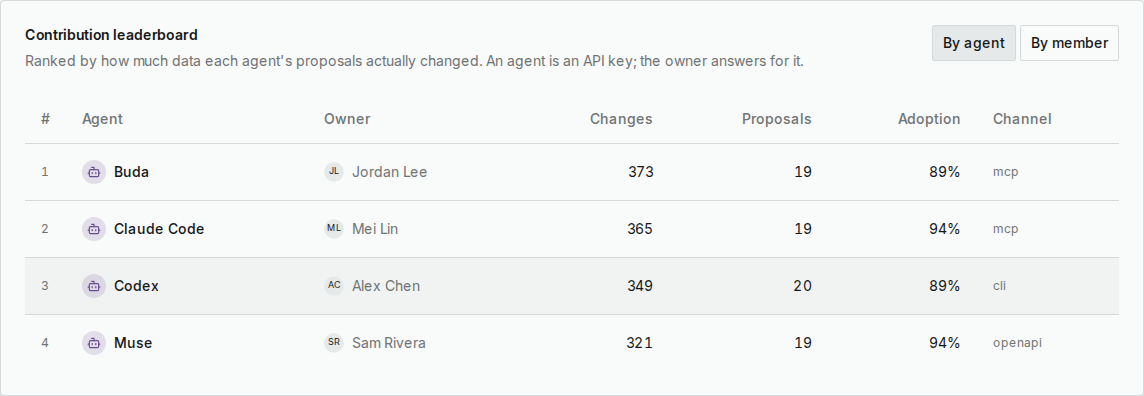
The By agent leaderboard shows each agent's name, owner, changes, proposals, and adoption rate. In this sample workspace, Buda, Claude Code, Codex, and Muse appear together in one table.
See contributions by teammate
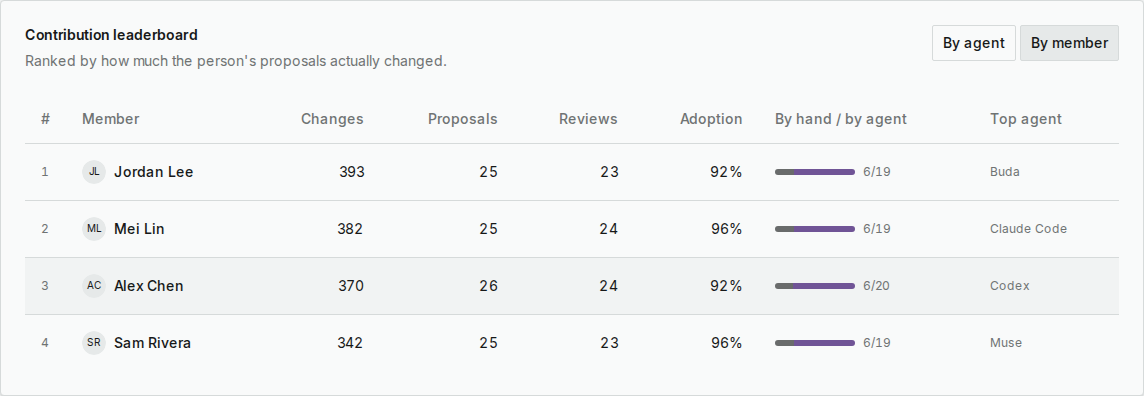
Switch to By member to see each person's changes, proposals, reviews, adoption rate, and the split between manual and agent submissions. Agent work submitted through a person's credentials is attributed to that person too.
This brings people who organize information and people who review the results into the same view.
Check the team's overall progress
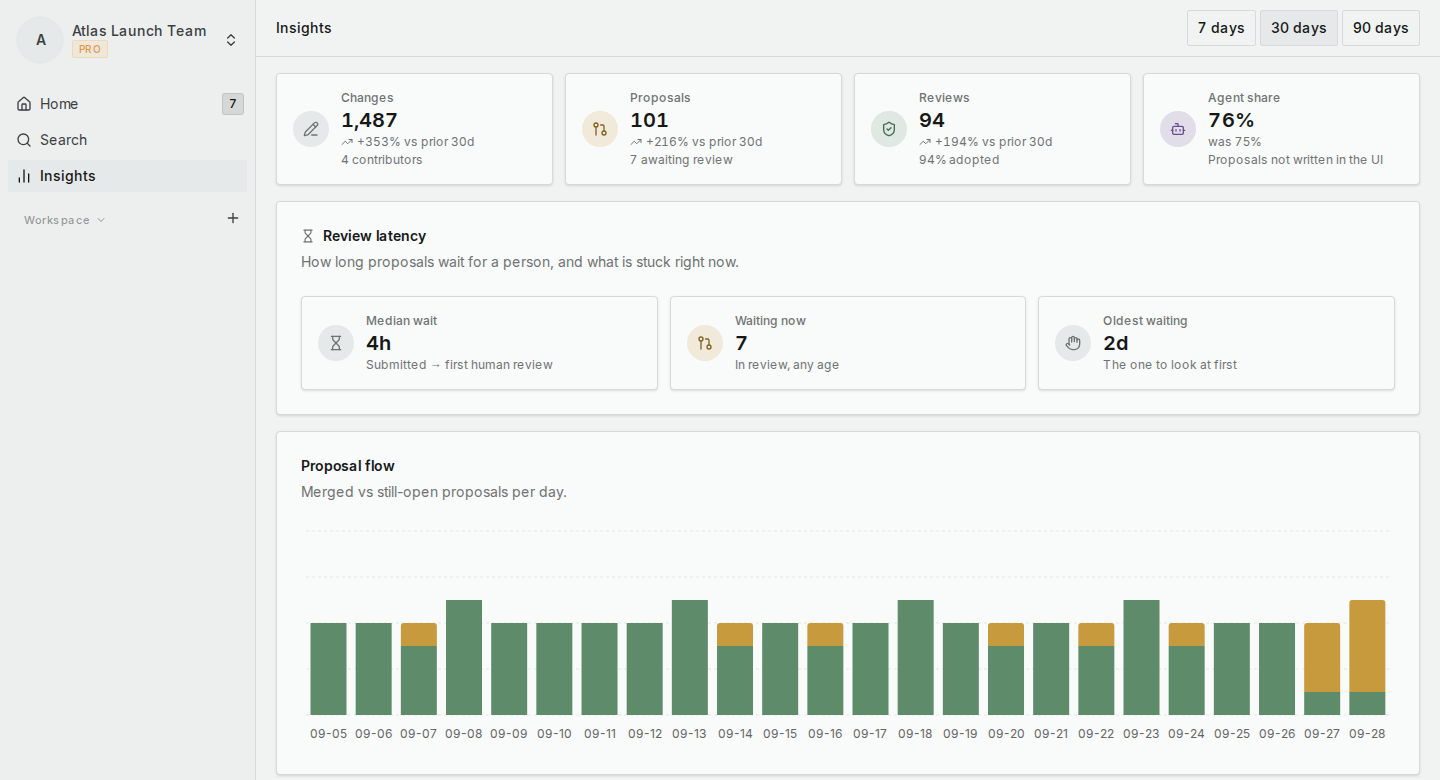
Choose the last 7, 30, or 90 days to see total changes, proposals, reviews, and agent share, with comparisons to the preceding period.
Review latency shows the median wait until a first human review, the current backlog, and the oldest waiting proposal. When agents keep submitting work, the team can see what still needs a person to pick it up.
Workspace owners and admins can see named leaderboards. Regular members see team totals, their own contribution numbers, and their rank. Insights covers work submitted to Busabase; it does not track every activity or conversation inside an agent.
Agent identities are based on connection credentials. Agent share also includes integrations, imports, and automation submitted outside the UI. These screenshots use illustrative people and work records in a dedicated sample workspace, not measured usage results from the four products.
Open Insights from your Busabase Cloud workspace menu to see your own team's numbers.
Which agents does your team use? What would you most like to see together: their output, adoption of their results, or work waiting for review?